

AI Integration Quick Reference
AI Integration Quick Reference
Where It Fits
CometChatCallLogs is a list component. It renders all call logs for the logged-in user and emits the selected CallLog via setOnItemClick. Wire it to a call detail screen or use setOnCallIconClickListener to initiate a callback.
- Kotlin
- Java
CallDetailActivity.kt
Quick Start
Add the component to your layout XML:layout_activity.xml
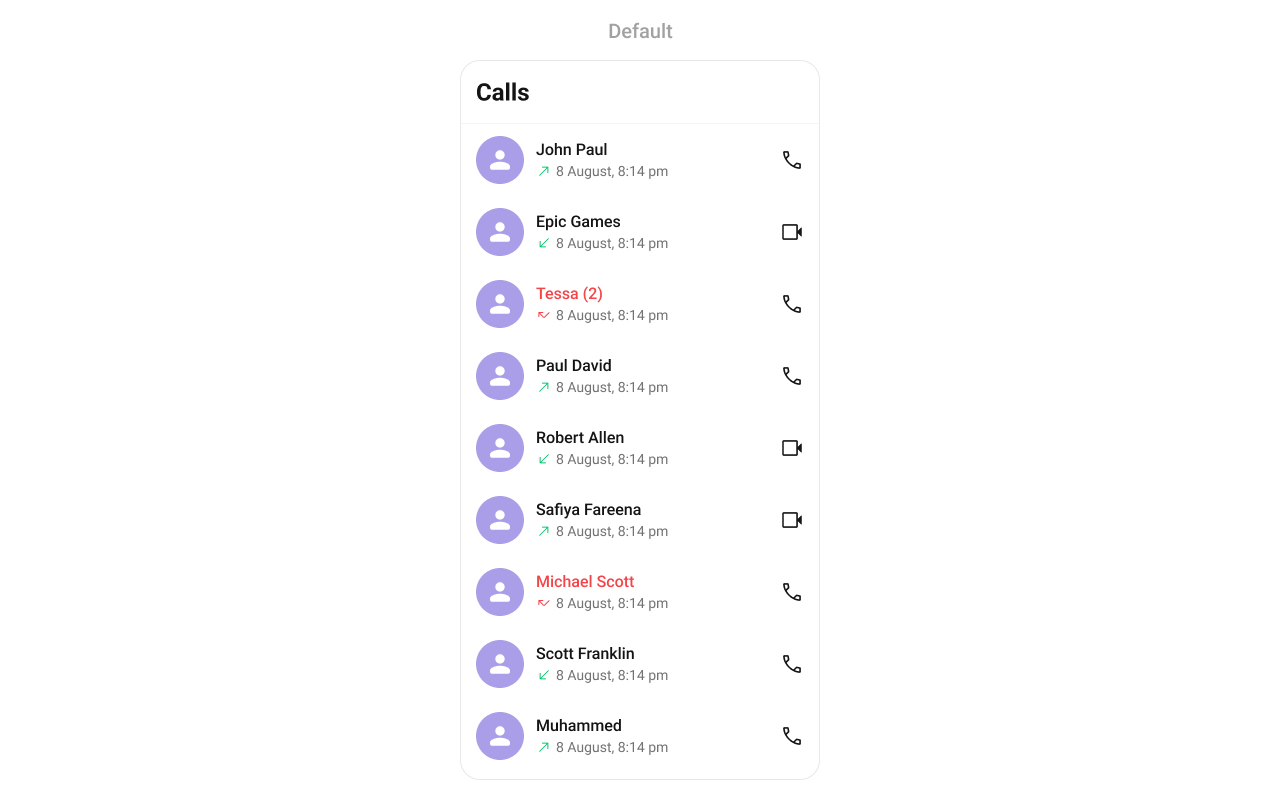
CometChatUIKit.init(), a user logged in, and the cometchat-chat-uikit-android dependency added.
To add programmatically in an Activity:
- Kotlin
- Java
YourActivity.kt
- Kotlin
- Java
YourFragment.kt
Filtering Call Logs
Pass aCallLogRequest.CallLogRequestBuilder to setCallLogRequestBuilder. Pass the builder instance — not the result of .build().
- Kotlin
- Java
Filter Recipes
The component uses infinite scroll — the next page loads as the user scrolls to the bottom.
Actions and Events
Callback Methods
setOnItemClick
Fires when a call log row is tapped. Primary navigation hook — use to open a call detail screen.
- Kotlin
- Java
YourActivity.kt
What this does: Replaces the default item-click behavior. When a user taps a call log entry, your custom lambda executes instead of the built-in navigation.
setOnItemLongClick
Fires when a call log row is long-pressed. Use for additional actions like delete or call back.
- Kotlin
- Java
YourActivity.kt
setOnBackPressListener
Fires when the user presses the back button in the app bar. Default: navigates to the previous activity.
- Kotlin
- Java
YourActivity.kt
setOnCallIconClickListener
Fires when the user taps the audio or video call icon on a call log item. Use to initiate a call or navigate to a call screen.
Interface: void onCallIconClick(View view, CallLogsAdapter.CallLogsViewHolder holder, int position, CallLog callLog)
- Kotlin
- Java
YourActivity.kt
setOnError
Fires on internal errors (network failure, auth issue, SDK exception).
- Kotlin
- Java
YourActivity.kt
setOnLoad
Fires when the list is successfully fetched and loaded.
- Kotlin
- Java
YourActivity.kt
setOnEmpty
Fires when the list is empty, enabling custom handling such as showing a placeholder.
- Kotlin
- Java
YourActivity.kt
- Verify: After setting an action callback, trigger the corresponding user interaction (tap, long-press, back, call icon) and confirm your custom logic executes instead of the default behavior.
Global UI Events
TheCometChatCallLogs component does not have any exposed global UI events.
SDK Events (Real-Time, Automatic)
TheCometChatCallLogs component does not listen to any SDK events internally. Call logs are fetched on load and can be refreshed manually with refreshCallLogs().
Functionality
Small functional customizations such as toggling visibility of UI elements.- Verify: After calling a visibility method, confirm the corresponding UI element is shown or hidden.
Custom View Slots
Each slot replaces a section of the default UI. Slots that accept aCallLog parameter receive the call log object for that row via the CallLogsViewHolderListener pattern (createView + bindView).
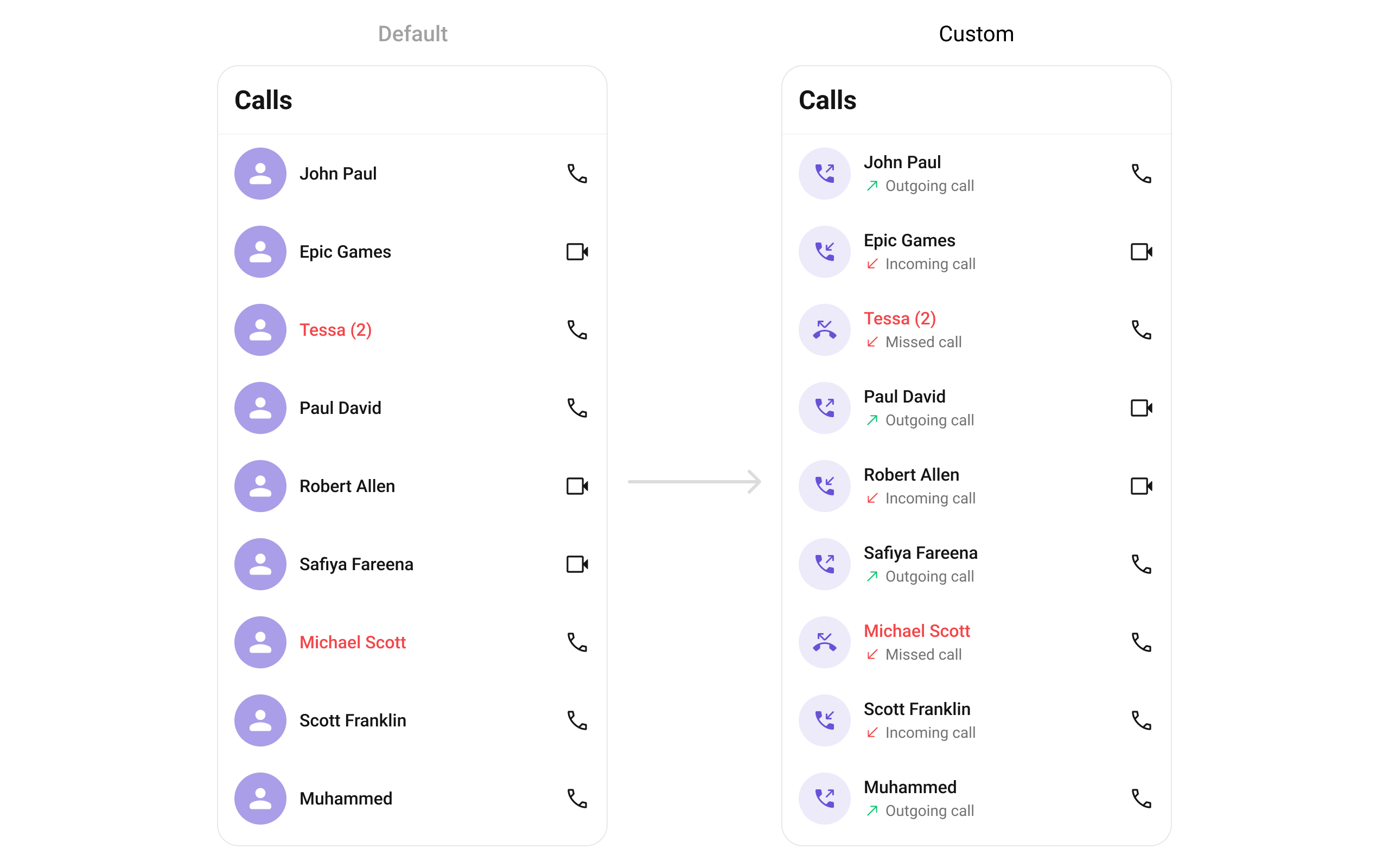
setLeadingView
Replace the avatar / left section.
- Kotlin
- Java
What this does: Registers aExample with call direction icons:CallLogsViewHolderListenerthat provides a custom view for the leading (left) area of each call log item.createViewinflates your layout, andbindViewpopulates it with call log data.
- Kotlin
- Java
YourActivity.kt
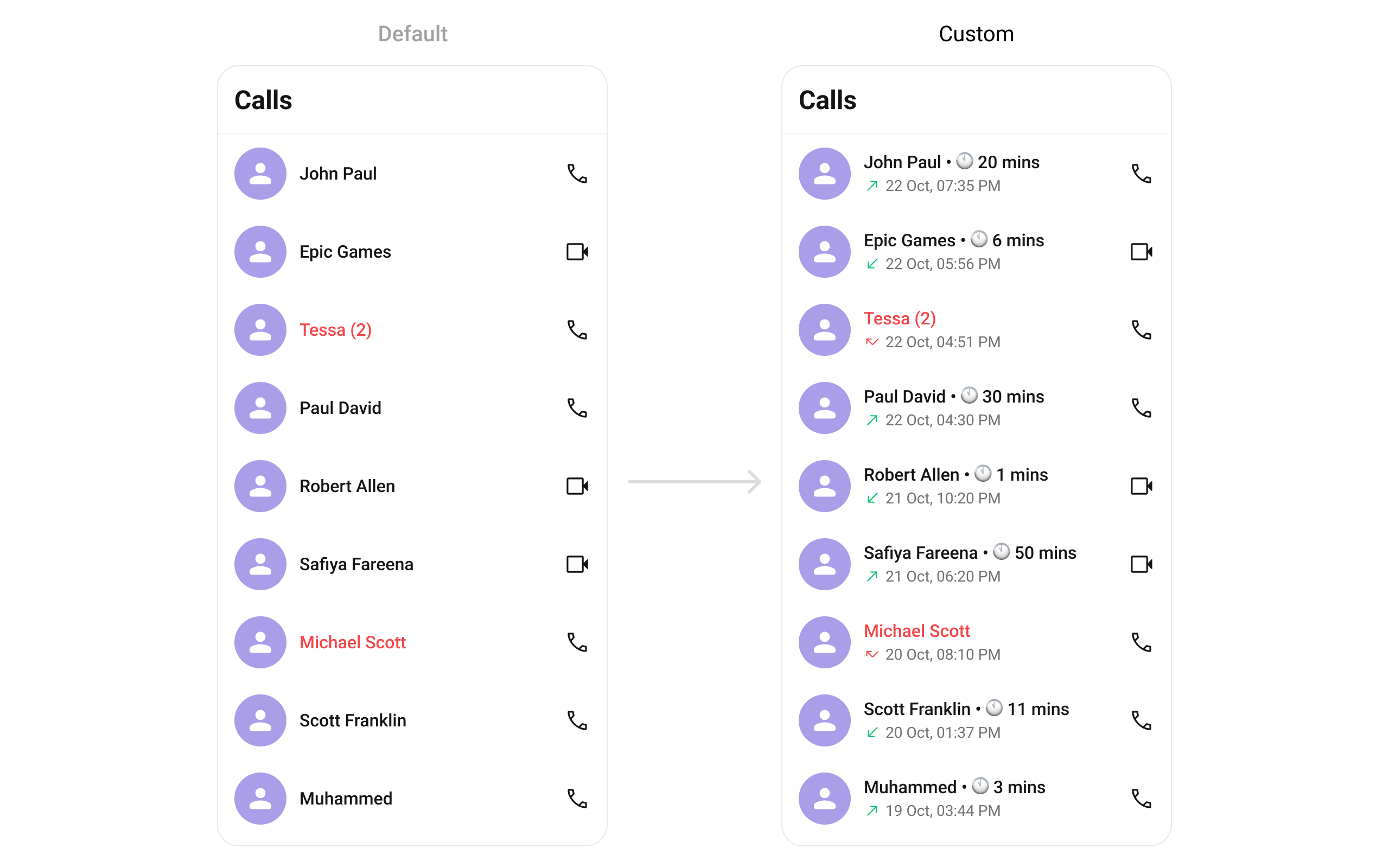
setTitleView
Replace the name / title text.
- Kotlin
- Java
- Kotlin
- Java
YourActivity.kt
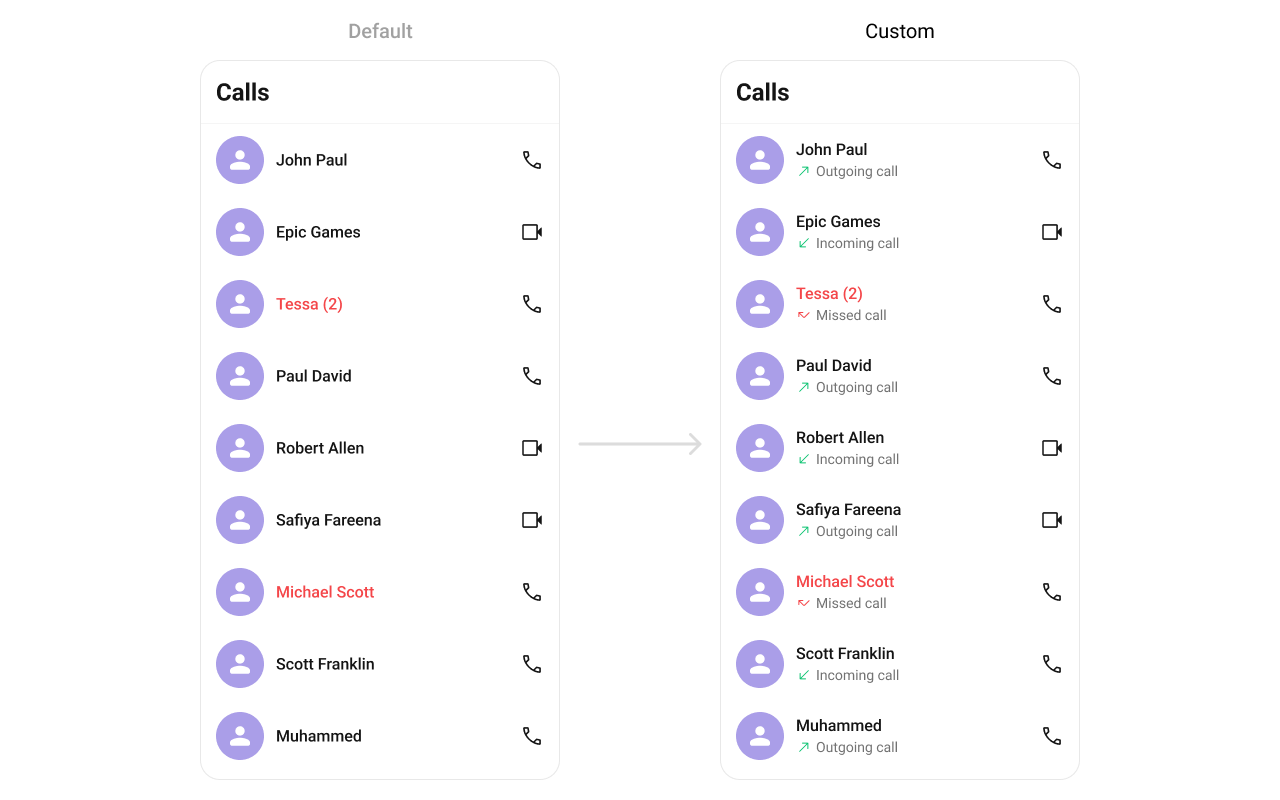
setSubtitleView
Replace the subtitle text below the caller’s name.
- Kotlin
- Java
- Kotlin
- Java
YourActivity.kt
setTrailingView
Replace the right section of each call log item.
- Kotlin
- Java
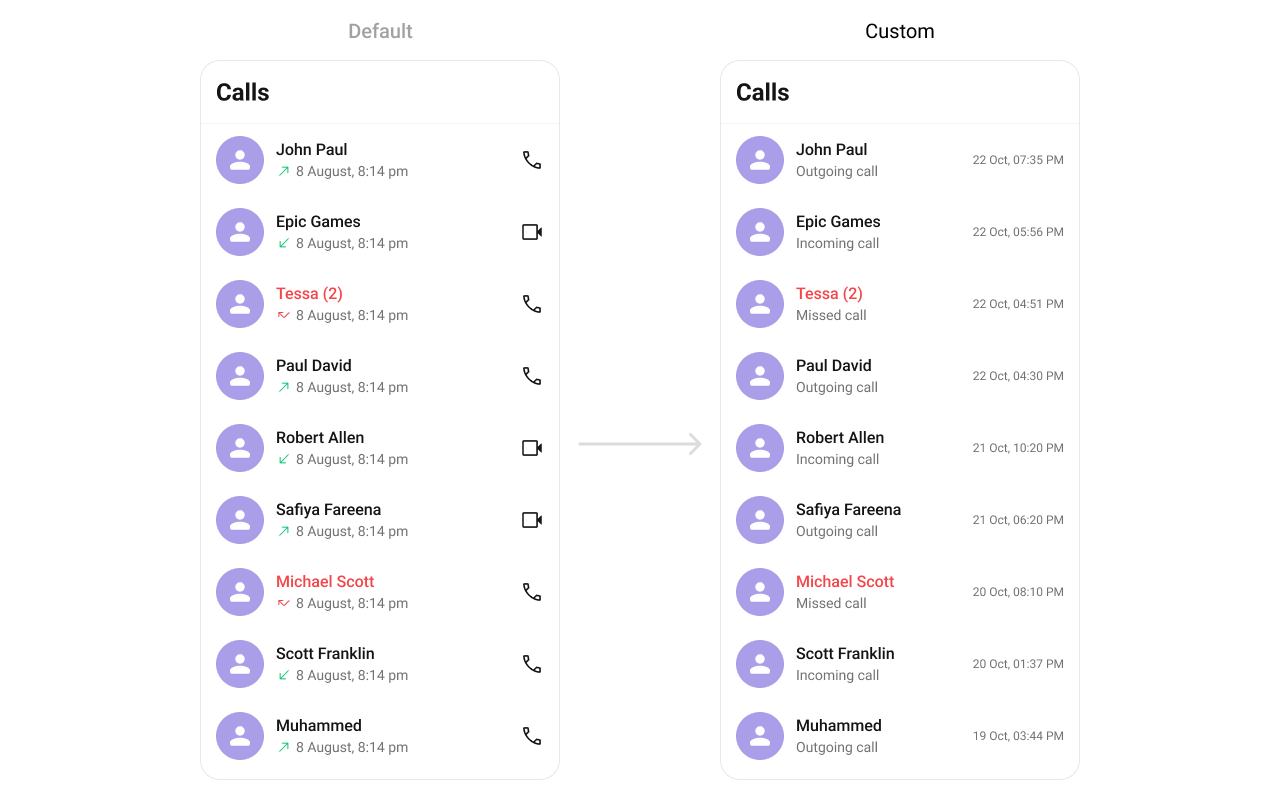
- Kotlin
- Java
YourActivity.kt
setItemView
Replace the entire list item row.
- Kotlin
- Java
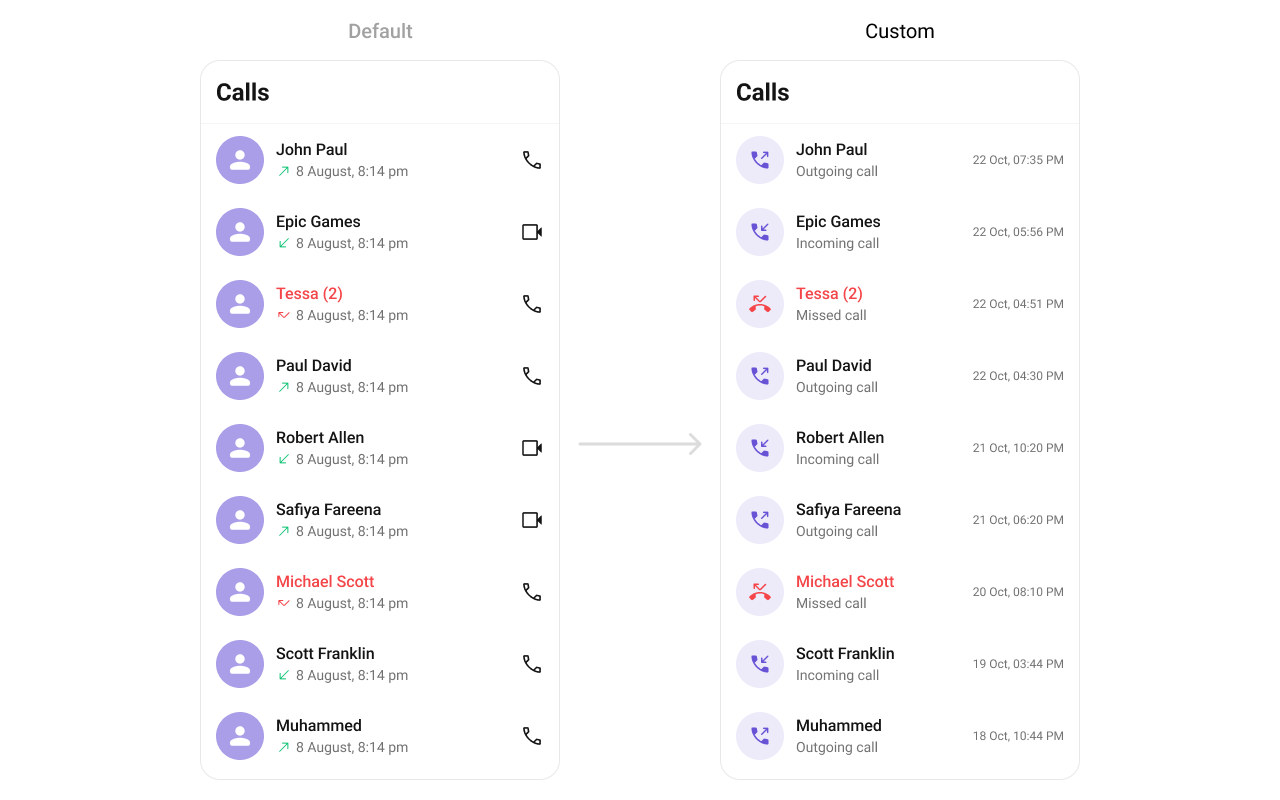
call_log_list_item.xml custom layout file:
call_log_list_item.xml
- Kotlin
- Java
YourActivity.kt
setOptions
Replace the long-press context menu entirely.
- Kotlin
- Java
setAddOptions
Append to the long-press context menu without removing defaults.
- Kotlin
- Java
setLoadingView
Sets a custom loading view displayed when data is being fetched.
- Kotlin
- Java
setEmptyView
Configures a custom view displayed when there are no call logs in the list.
- Kotlin
- Java
setErrorView
Defines a custom error state view that appears when an issue occurs while loading call logs.
- Kotlin
- Java
- Verify: After setting any custom view slot, confirm the custom view renders in the correct position within the call log list item, and the data binding populates correctly for each call log entry.
Common Patterns
Hide all chrome — minimal list
- Kotlin
- Java
Missed calls only
- Kotlin
- Java
Calls with recordings only
- Kotlin
- Java
Audio calls only
- Kotlin
- Java
Advanced Methods
refreshCallLogs
Forces a refresh of the call log list, re-fetching data from the server.
- Kotlin
- Java
setDateFormat
Sets a legacy SimpleDateFormat for call log timestamps.
- Kotlin
- Java
setDateTimeFormatter
Provides a custom implementation of DateTimeFormatterCallback to configure how time and date values are displayed. Each method corresponds to a specific case:
time(long timestamp)— Custom full timestamp formattoday(long timestamp)— Called when a call log is from todayyesterday(long timestamp)— Called for yesterday’s call logslastWeek(long timestamp)— Call logs from the past weekotherDays(long timestamp)— Older call logsminutes(long diffInMinutesFromNow, long timestamp)— e.g., “5 minutes ago”hours(long diffInHourFromNow, long timestamp)— e.g., “2 hours ago”
- Kotlin
- Java
Internal Access
These methods provide direct access to internal components for advanced use cases.Use these only when the standard API is insufficient. Directly manipulating the adapter or ViewModel may conflict with the component’s internal state management.
Style
The component uses XML theme styles. Define a custom style with parentCometChatCallLogsStyle in themes.xml, then apply with setStyle().
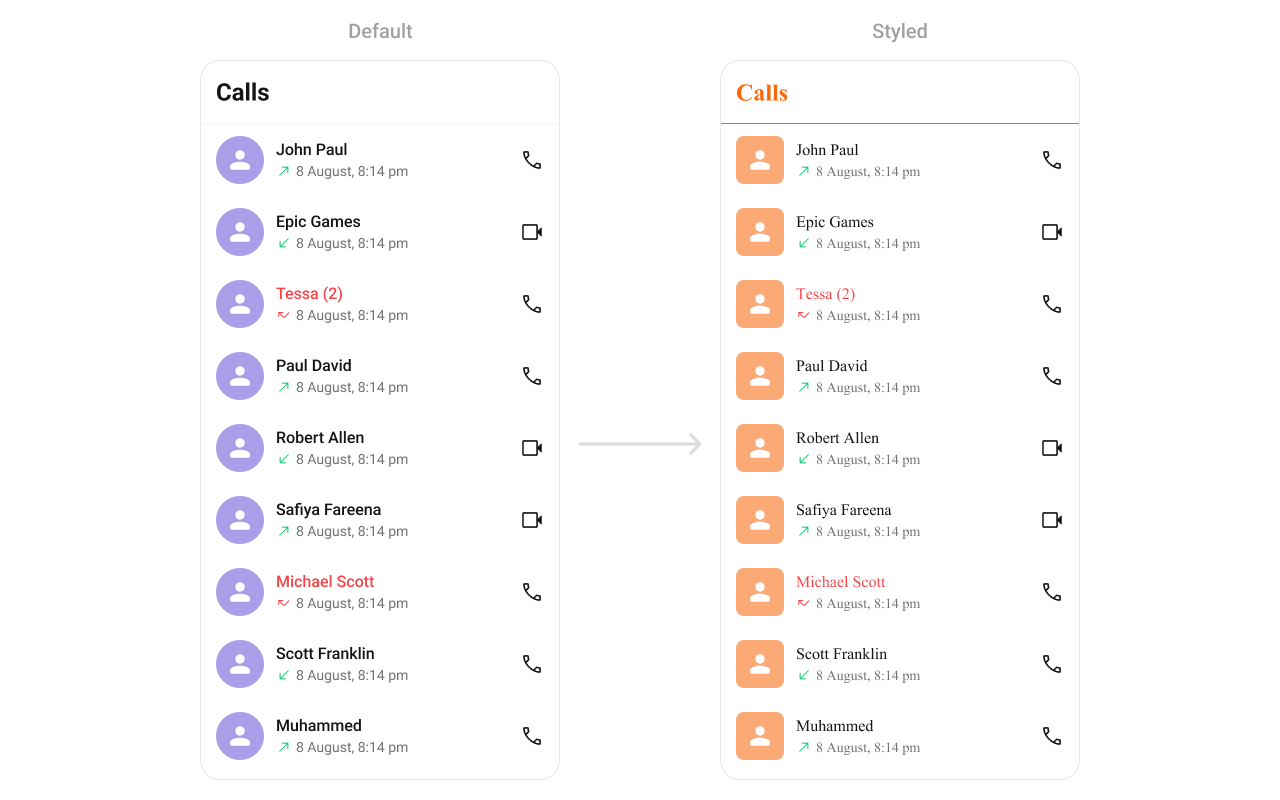
themes.xml
- Kotlin
- Java
Programmatic Style Properties
In addition to XML theme styles, the component exposes programmatic setters for fine-grained control:Customization Matrix
Next Steps
Call Buttons
Voice and video call initiation buttons
Conversations
Browse recent conversations
Users
Browse and search available users
Incoming Call
Incoming call notification with accept/reject