

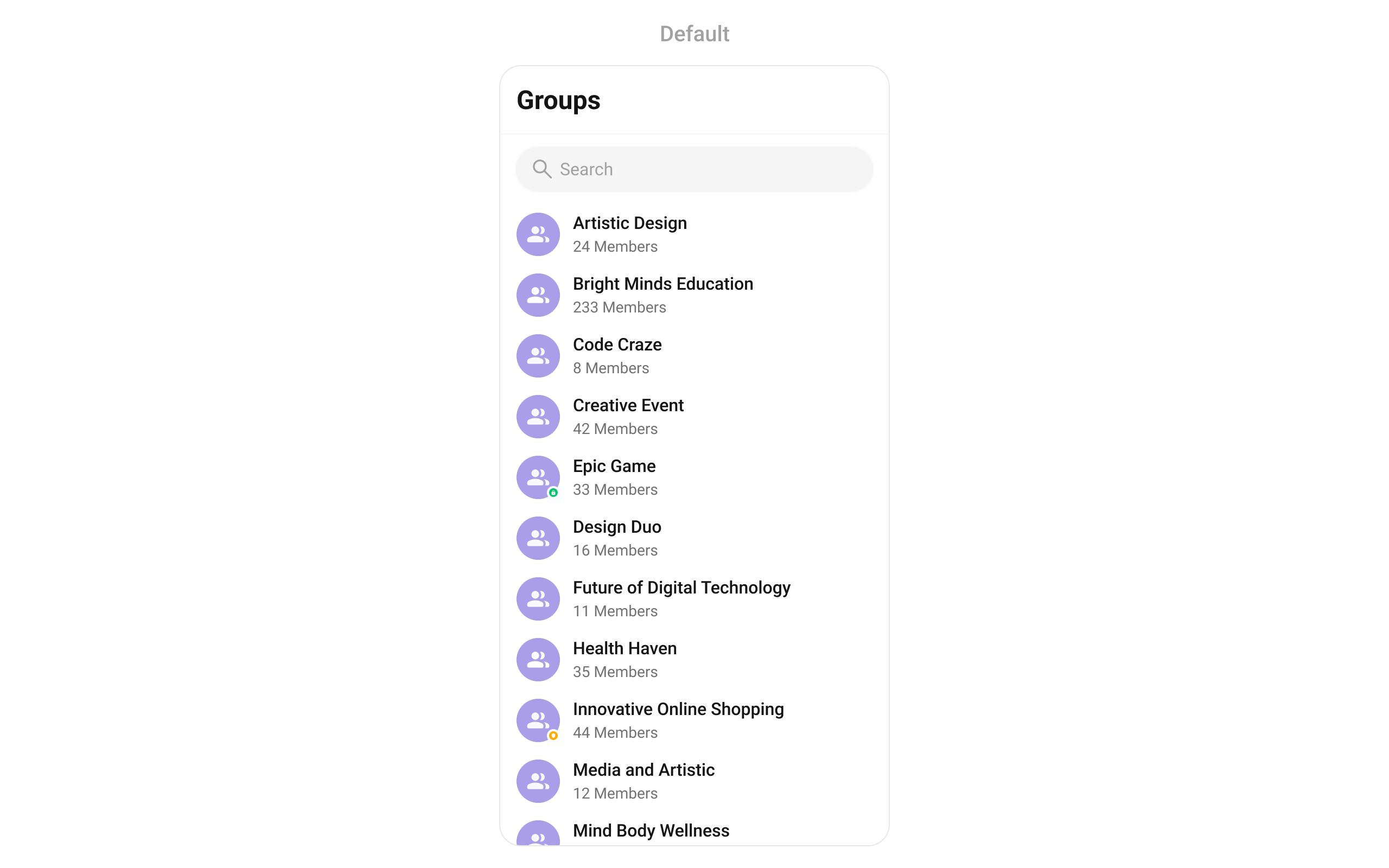
CometChatGroups renders a scrollable list of all available groups with real-time updates for group events, search, avatars, group type indicators (public/private/password), and member counts.
Where It Fits
CometChatGroups is a list component. It renders all available groups and emits the selected Group via onItemTap. Wire it to CometChatMessageHeader, CometChatMessageList, and CometChatMessageComposer to build a group chat layout.
- Dart
Quick Start
Using Navigator:- Dart
- Dart
CometChatUIKit.init(), a user logged in, and the UI Kit dependency added.
Filtering Groups
Pass aGroupsRequestBuilder to control what loads:
- Dart
Filter Recipes
Actions and Events
Callback Methods
onItemTap
Fires when a group row is tapped. Primary navigation hook.
- Dart
onItemLongPress
Fires when a group row is long-pressed.
- Dart
onBack
Fires when the user presses the back button in the app bar.
- Dart
onSelection
Fires when groups are selected/deselected in multi-select mode.
- Dart
onError
Fires on internal errors.
- Dart
onLoad
Fires when the list is successfully fetched and loaded.
- Dart
onEmpty
Fires when the list is empty after loading.
- Dart
SDK Events (Real-Time, Automatic)
The component listens to these SDK events internally. No manual setup needed.Functionality
Custom View Slots
Leading View
Replace the avatar / left section.- Dart
Title View
Replace the group name / title text.- Dart
Subtitle View
Replace the subtitle text below the group name.- Dart
Trailing View
Replace the right section of each group item.- Dart
List Item View
Replace the entire list item row.- Dart
State Views
- Dart
Common Patterns
Minimal list — hide all chrome
- Dart
Joined groups only
- Dart
Advanced
BLoC Access
Provide a customGroupsBloc to override behavior:
- Dart
Extending GroupsBloc
GroupsBloc uses the ListBase<Group> mixin with override hooks:
- Dart
ListBase override hooks (onItemAdded, onItemRemoved, onItemUpdated, onListCleared, onListReplaced), see BLoC & Data — ListBase Hooks.
Public BLoC Events
Style
- Dart
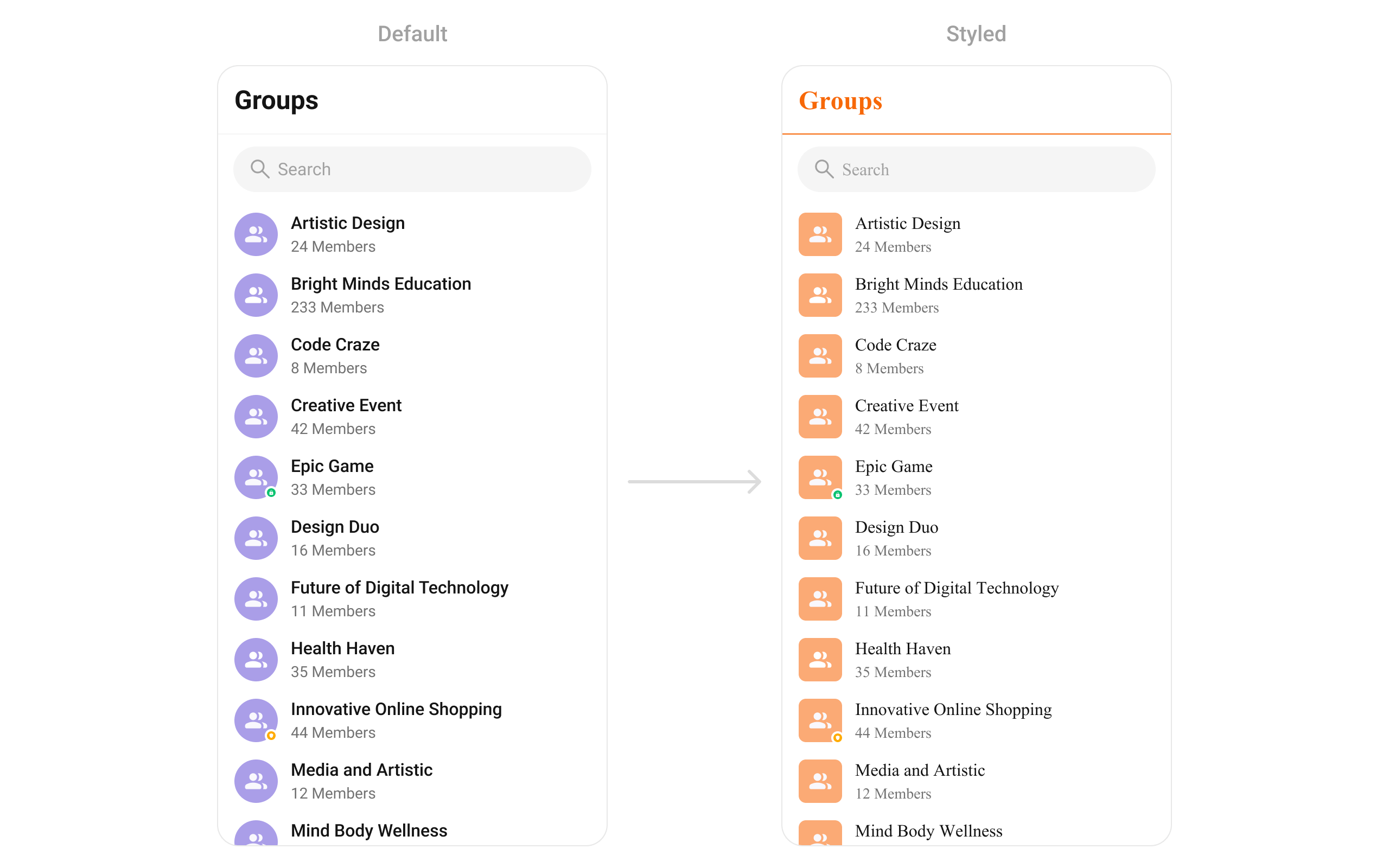
Style Properties
See Component Styling for the full reference.
Next Steps
Group Members
View and manage group members
Conversations
Browse recent conversations
Component Styling
Detailed styling reference
Group Chat Guide
Complete group chat implementation