

AI Integration Quick Reference
AI Integration Quick Reference
| Field | Value |
|---|---|
| Package | @cometchat/chat-uikit-react |
| Key class | ShortcutFormatter (extends CometChatTextFormatter) |
| Required setup | CometChatUIKit.init(UIKitSettings) then CometChatUIKit.login("UID") |
| Track character | ! — triggers shortcut expansion in the message composer |
| Sample app | GitHub |
| Related | Custom Text Formatter | All Guides |
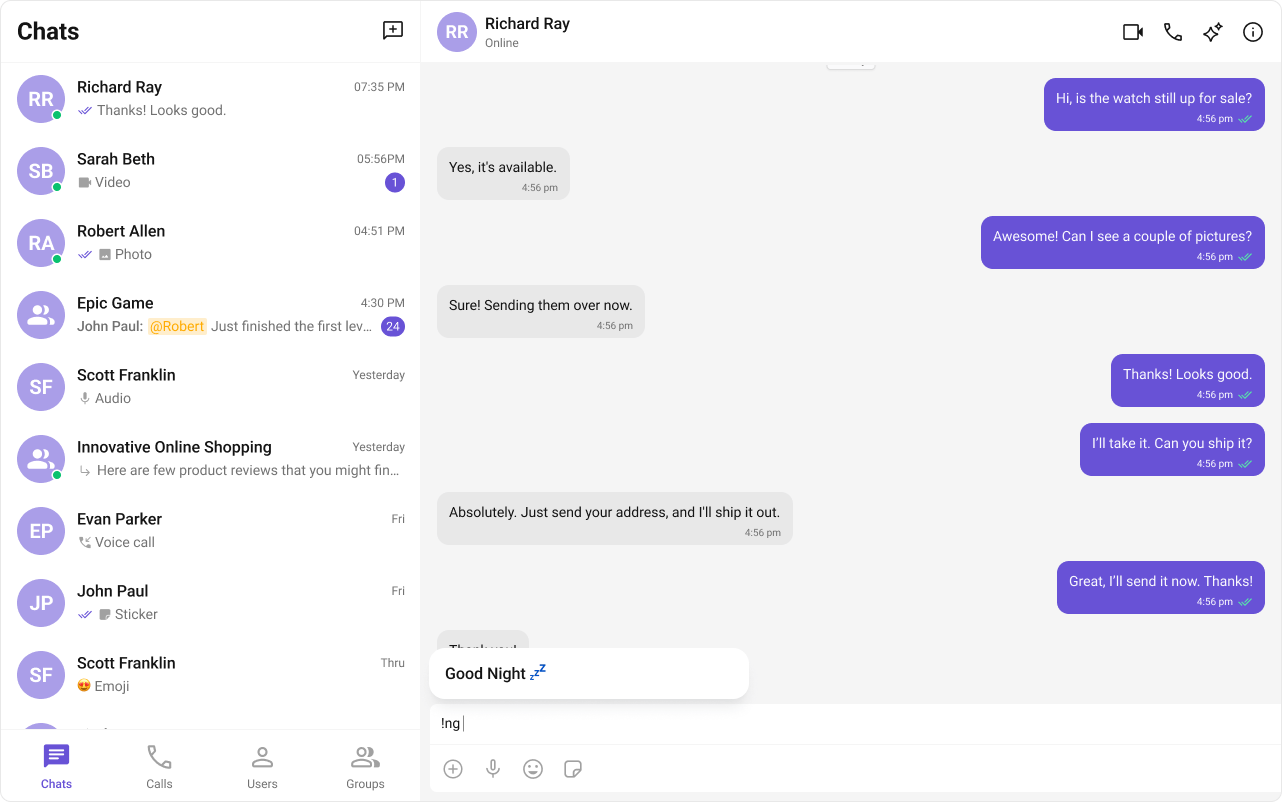
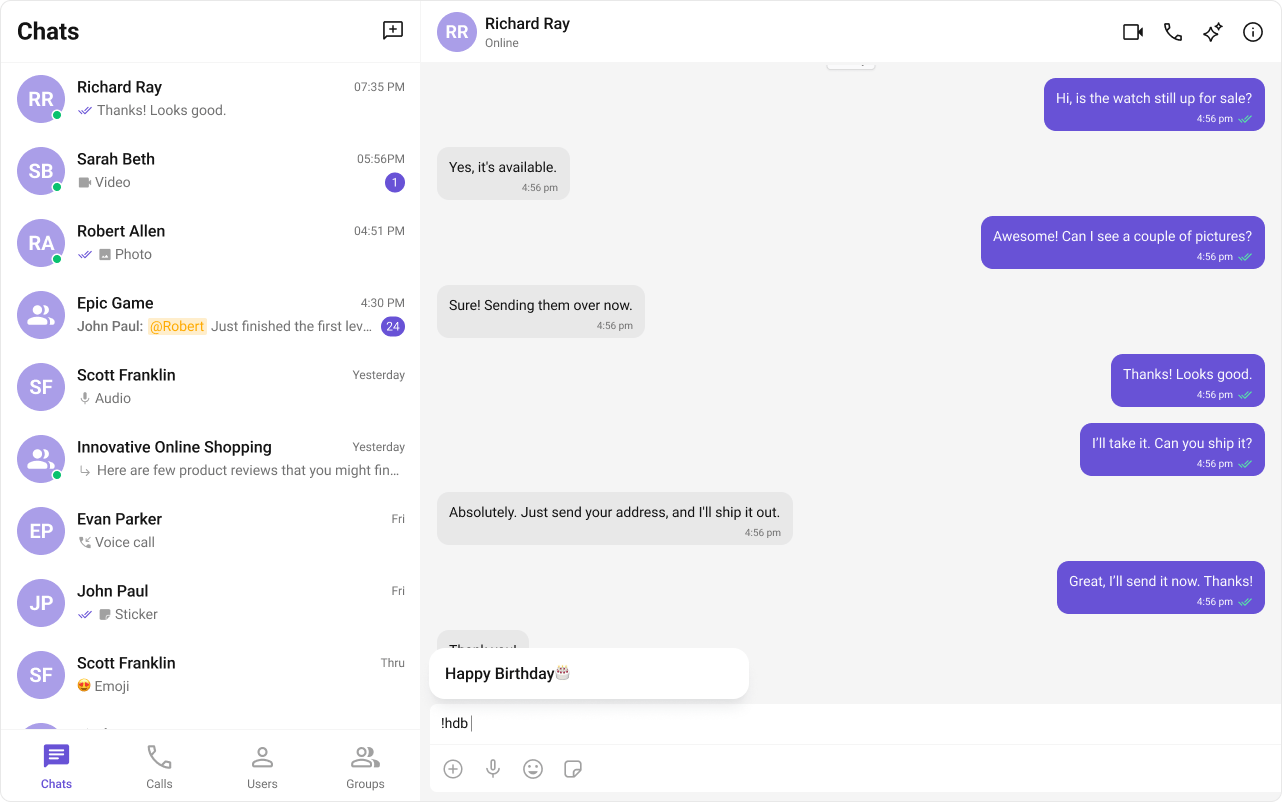
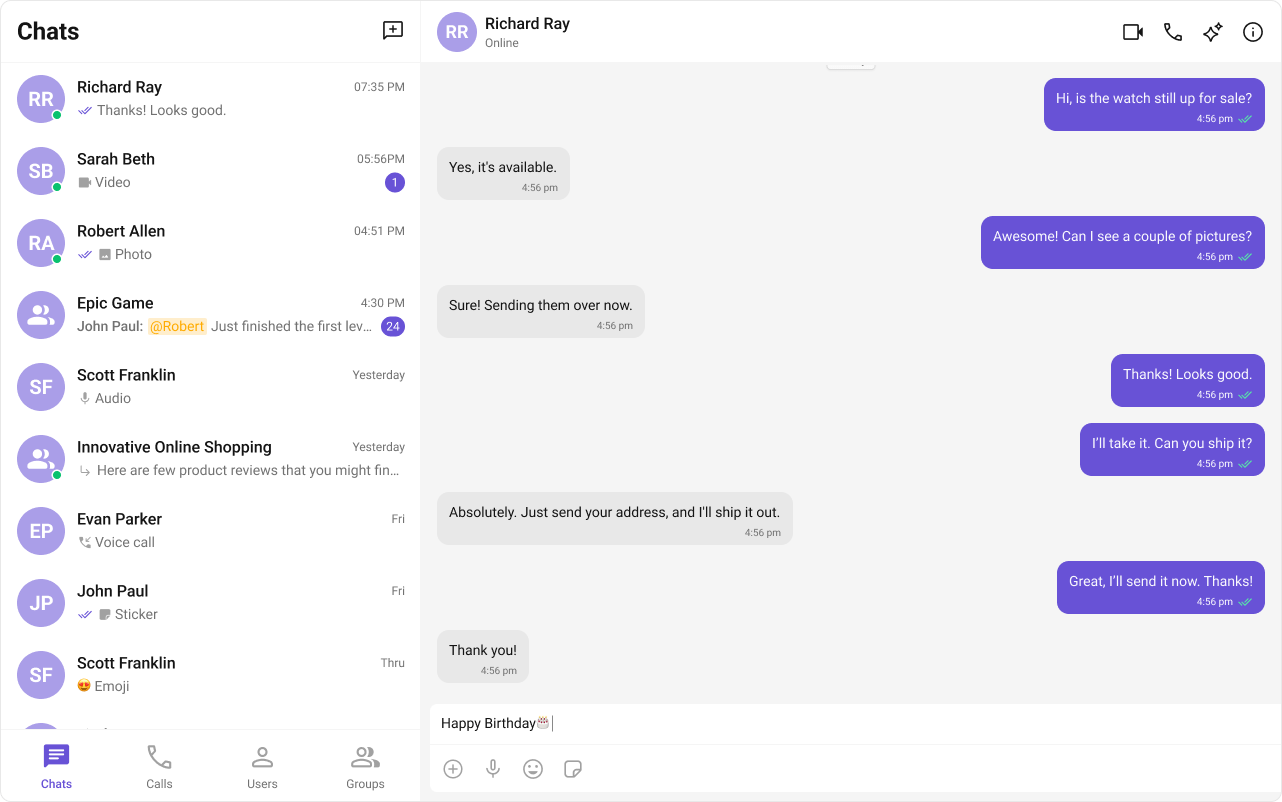
ShortCutFormatter extends CometChatTextFormatter to expand shortcodes (like !hb) into full text via the Message Shortcuts extension. When a user types a shortcut, a dialog appears with the expansion — clicking it inserts the text.
Steps
1. Import the base class
import { CometChatTextFormatter } from "@cometchat/chat-uikit-react";
2. Extend it
class ShortCutFormatter extends CometChatTextFormatter {
  ...
}
3. Set the track character
this.setTrackingCharacter("!");
4. Handle key events
Detect shortcuts onkeyDown and trigger expansion logic.
onKeyDown(event: KeyboardEvent) {
  // Your implementation
}
5. Add dialog and formatting methods
openDialog(buttonText: string) { ... }
closeDialog() { ... }
handleButtonClick = () => { ... };
getFormattedText(text: string): string { return text; }
private getTextBeforeCaret(caretPosition: number): string { ... }
Example
- ShortCutFormatter.ts
- Dialog.tsx
- ConversationDemo.tsx
Fetches shortcuts from the Message Shortcuts extension on init. On
keyUp, checks if the text before the caret matches a shortcut and opens a dialog with the expansion.import { CometChatTextFormatter } from "@cometchat/chat-uikit-react";
import DialogHelper from "./Dialog";
import { CometChat } from "@cometchat/chat-sdk-javascript";
class ShortcutFormatter extends CometChatTextFormatter {
private shortcuts: { [key: string]: string } = {};
private dialogIsOpen: boolean = false;
private dialogHelper = new DialogHelper();
private currentShortcut: string | null = null;
constructor() {
super();
this.setTrackingCharacter("!");
CometChat.callExtension("message-shortcuts", "GET", "v1/fetch", undefined)
.then((data: any) => {
if (data && data.shortcuts) {
this.shortcuts = data.shortcuts;
}
})
.catch((error) => console.log("error fetching shortcuts", error));
}
onKeyUp(event: KeyboardEvent) {
const caretPosition =
this.currentCaretPosition instanceof Selection
? this.currentCaretPosition.anchorOffset
: 0;
const textBeforeCaret = this.getTextBeforeCaret(caretPosition);
const match = textBeforeCaret.match(/!([a-zA-Z]+)$/);
if (match) {
const shortcut = match[0];
const replacement = this.shortcuts[shortcut];
if (replacement) {
if (this.dialogIsOpen && this.currentShortcut !== shortcut) {
this.closeDialog();
}
this.openDialog(replacement, shortcut);
}
} else if (!textBeforeCaret) {
this.closeDialog();
}
}
getCaretPosition() {
if (!this.currentCaretPosition?.rangeCount) return { x: 0, y: 0 };
const range = this.currentCaretPosition?.getRangeAt(0);
const rect = range.getBoundingClientRect();
return { x: rect.left, y: rect.top };
}
openDialog(buttonText: string, shortcut: string) {
this.dialogHelper.createDialog(
() => this.handleButtonClick(buttonText),
buttonText
);
this.dialogIsOpen = true;
this.currentShortcut = shortcut;
}
closeDialog() {
this.dialogHelper.closeDialog();
this.dialogIsOpen = false;
this.currentShortcut = null;
}
handleButtonClick = (buttonText: string) => {
if (this.currentCaretPosition && this.currentRange) {
const shortcut = Object.keys(this.shortcuts).find(
(key) => this.shortcuts[key] === buttonText
);
if (shortcut) {
const replacement = this.shortcuts[shortcut];
this.addAtCaretPosition(
replacement,
this.currentCaretPosition,
this.currentRange
);
}
}
if (this.dialogIsOpen) {
this.closeDialog();
}
};
getFormattedText(text: string): string {
return text;
}
private getTextBeforeCaret(caretPosition: number): string {
if (
this.currentRange &&
this.currentRange.startContainer &&
typeof this.currentRange.startContainer.textContent === "string"
) {
const textContent = this.currentRange.startContainer.textContent;
if (textContent.length >= caretPosition) {
return textContent.substring(0, caretPosition);
}
}
return "";
}
}
export default ShortcutFormatter;
Helper class that renders a button panel via
CometChatUIEvents.ccShowPanel.import React from "react";
import ReactDOM from "react-dom";
import { CometChatUIEvents, PanelAlignment } from "@cometchat/chat-uikit-react";
interface DialogProps {
onClick: () => void;
buttonText: string;
}
const Dialog: React.FC<DialogProps> = ({ onClick, buttonText }) => {
return (
<div style={{ width: "800px", height: "45px" }}>
<button
style={{
width: "800px",
height: "100%",
cursor: "pointer",
backgroundColor: "#f2e6ff",
border: "2px solid #9b42f5",
borderRadius: "12px",
textAlign: "left",
paddingLeft: "20px",
font: "600 15px sans-serif, Inter",
}}
onClick={onClick}
>
{buttonText}
</button>
</div>
);
};
export default class DialogHelper {
private dialogContainer: HTMLDivElement | null = null;
createDialog(onClick: () => void, buttonText: string) {
this.dialogContainer = document.createElement("div");
document.body.appendChild(this.dialogContainer);
CometChatUIEvents.ccShowPanel.next({
child: <Dialog onClick={onClick} buttonText={buttonText} />,
position: PanelAlignment.messageListFooter,
});
}
closeDialog() {
if (this.dialogContainer) {
CometChatUIEvents.ccHidePanel.next(PanelAlignment.messageListFooter);
this.dialogContainer.remove();
this.dialogContainer = null;
}
}
}
Pass the formatter via the
textFormatters prop on the composer.import ShortcutFormatter from "./ShortCutFormatter";
import { CometChatMessageComposer } from "@cometchat/chat-uikit-react";
<CometChatMessageComposer textFormatters={[new ShortcutFormatter()]} />;
Next Steps
Custom Text Formatter
Build custom inline text patterns.
Message Composer
Customize the message input component.
All Guides
Browse all feature and formatter guides.
Sample App
Full working sample application on GitHub.