

Overview
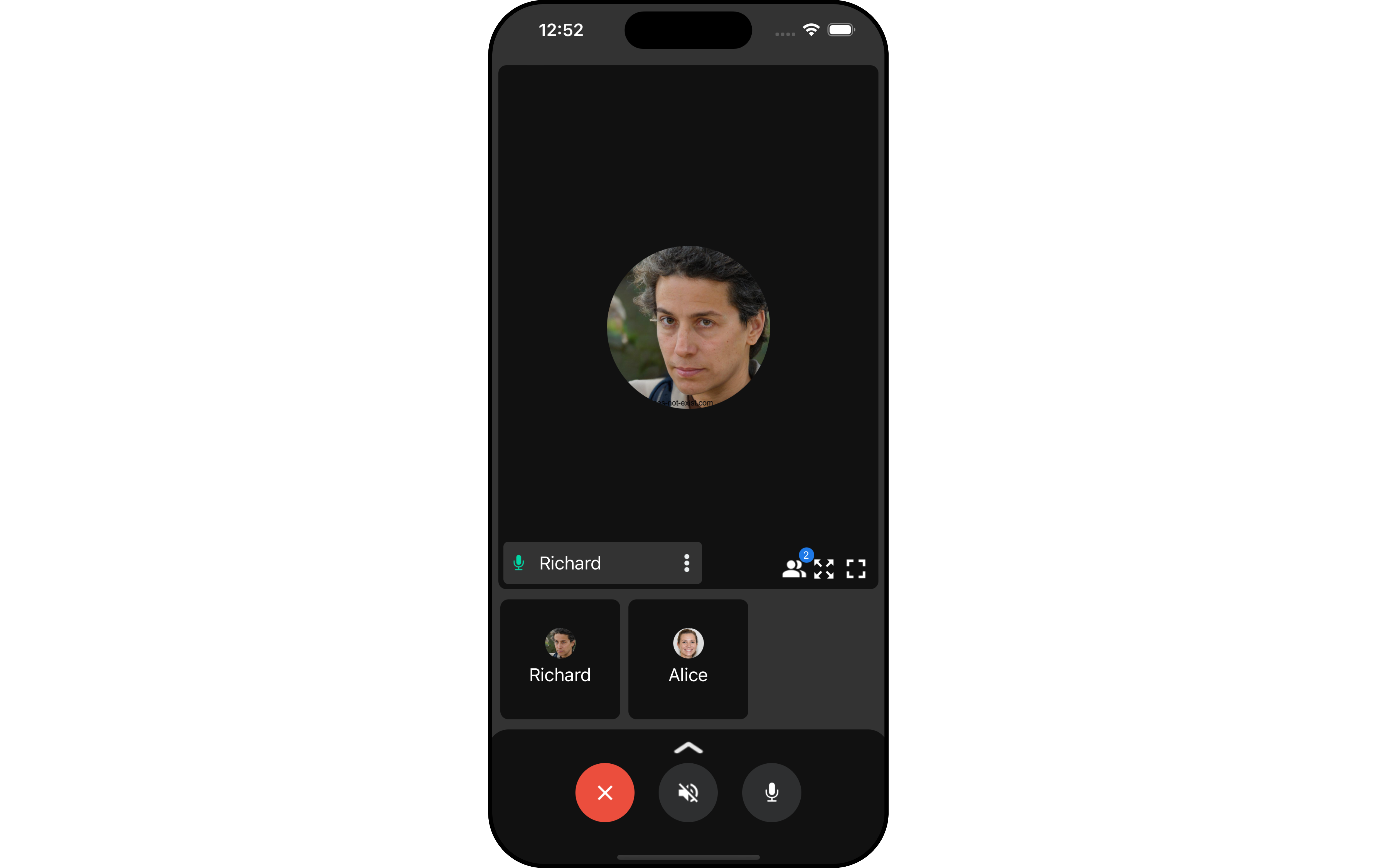
TheOngoing Call is a Component that provides users with a dedicated interface for managing real-time voice or video conversations. It includes features like a video display area for video calls, call controls for mic and camera management, participant information, call status indicators, and options for call recording and screen-sharing.
Usage
Integration
CometChatOngoingCall being a custom view controller, offers versatility in its integration. It can be seamlessly launched via button clicks or any user-triggered action, enhancing the overall user experience and facilitating smoother interactions within the application.
- Swift
If you are already using a navigation controller, you can use the
pushViewController function instead of presenting the view controller.Actions
Actions dictate how a component functions. They are divided into two types: Predefined and User-defined. You can override either type, allowing you to tailor the behavior of the component to fit your specific needs.1. SetOnCallEnded
ThesetOnCallEnded action is typically triggered when the call is ended, carrying out default actions. However, with the following code snippet, you can effortlessly customize or override this default behavior to meet your specific needs.
- Swift
Filters
Filters allow you to customize the data displayed in a list within a Component. You can filter the list based on your specific criteria, allowing for a more customized. Filters can be applied using RequestBuilders of Chat SDK. You can adjust thecallSettingsBuilder in the OnGoing Call Component to customize the OnGoing Call. Numerous options are available to alter the builder to meet your specific needs. For additional details on CallSettingsBuilder, please visit CallSettingsBuilder.
1. CallSettingsBuilder
The CallSettingsBuilder enables you to filter and customize the call list based on available parameters in CallSettingsBuilder. This feature allows you to create more specific and targeted queries during the call. The following are the parameters available in CallSettingsBuilder
Example
In the example below, we are applying a filter to the calls.
- Swift
Events
Events are emitted by aComponent. By using event you can extend existing functionality. Being global events, they can be applied in Multiple Locations and are capable of being Added or Removed.
Events emitted by the Ongoing Call component is as follows.
- Add Listener
Emitting Group Events
- Remove Listener
View controller
Customization
To fit your app’s design requirements, you can customize the appearance of the conversation component. We provide exposed methods that allow you to modify the experience and behavior according to your specific needs.Style
Using Style you can customize the look and feel of the component in your app, These parameters typically control elements such as the color, size, shape, and fonts used within the component. The OngoingCall component does not have any exposed Styles.Functionality
These are a set of small functional customizations that allow you to fine-tune the overall experience of the component. With these, you can change text, set custom icons, and toggle the visibility of UI elements.- Swift
If you are already using a navigation controller, you can use the pushViewController function instead of presenting the view controller.
Advanced
For advanced-level customization, you can set custom views to the component. This lets you tailor each aspect of the component to fit your exact needs and application aesthetics. You can create and define your views, layouts, and UI elements and then incorporate those into the component. TheOngoingCall component does not provide additional functionalities beyond this level of customization.