

Overview
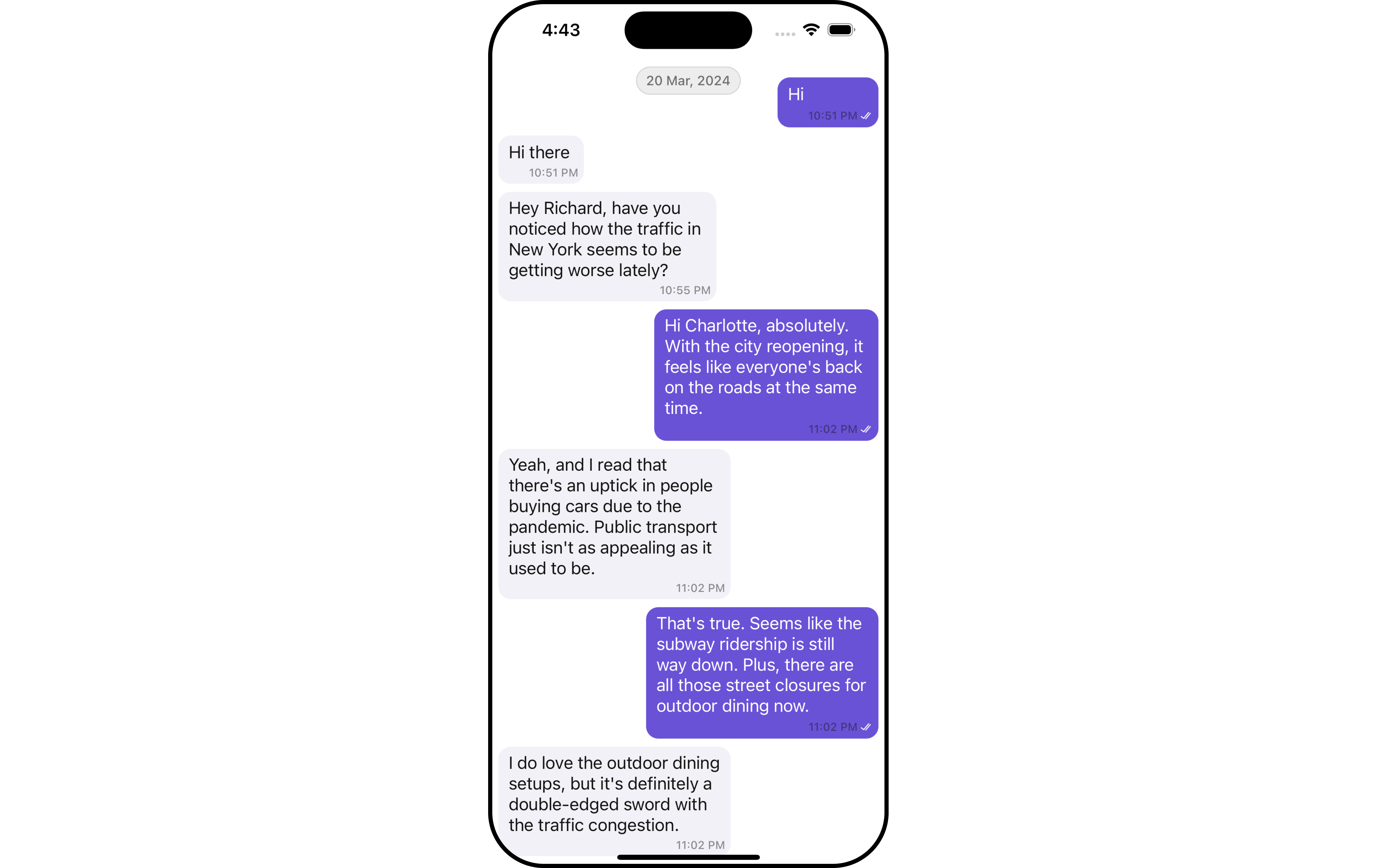
MessageList is a Composite Component that displays a list of messages and effectively manages real-time operations. It includes various types of messages such as Text Messages, Media Messages, Stickers, and more.
MessageList is primarily a list of the base component MessageBubble. The MessageBubble Component is utilized to create different types of chat bubbles depending on the message type.
Usage
Integration
The following code snippet illustrates how you can directly incorporate the MessageList component.- Swift
Actions
Actions dictate how a component functions. They are divided into two types: Predefined and User-defined. You can override either type, allowing you to tailor the behavior of the component to fit your specific needs.1. onThreadRepliesClick
onThreadRepliesClick is triggered when you click on the threaded message bubble. The onThreadRepliesClick action doesn’t have a predefined behavior. You can override this action using the following code snippet.
- Swift
2. onError
You can customize this behavior by using the provided code snippet to override theerror view and improve error handling. You have the option to integrate your own custom UIView file for this purpose.
- Swift
Swift
Filters
You can adjust theMessagesRequestBuilder in the MessageList Component to customize your message list. Numerous options are available to alter the builder to meet your specific needs. For additional details on MessagesRequestBuilder, please visit MessagesRequestBuilder.
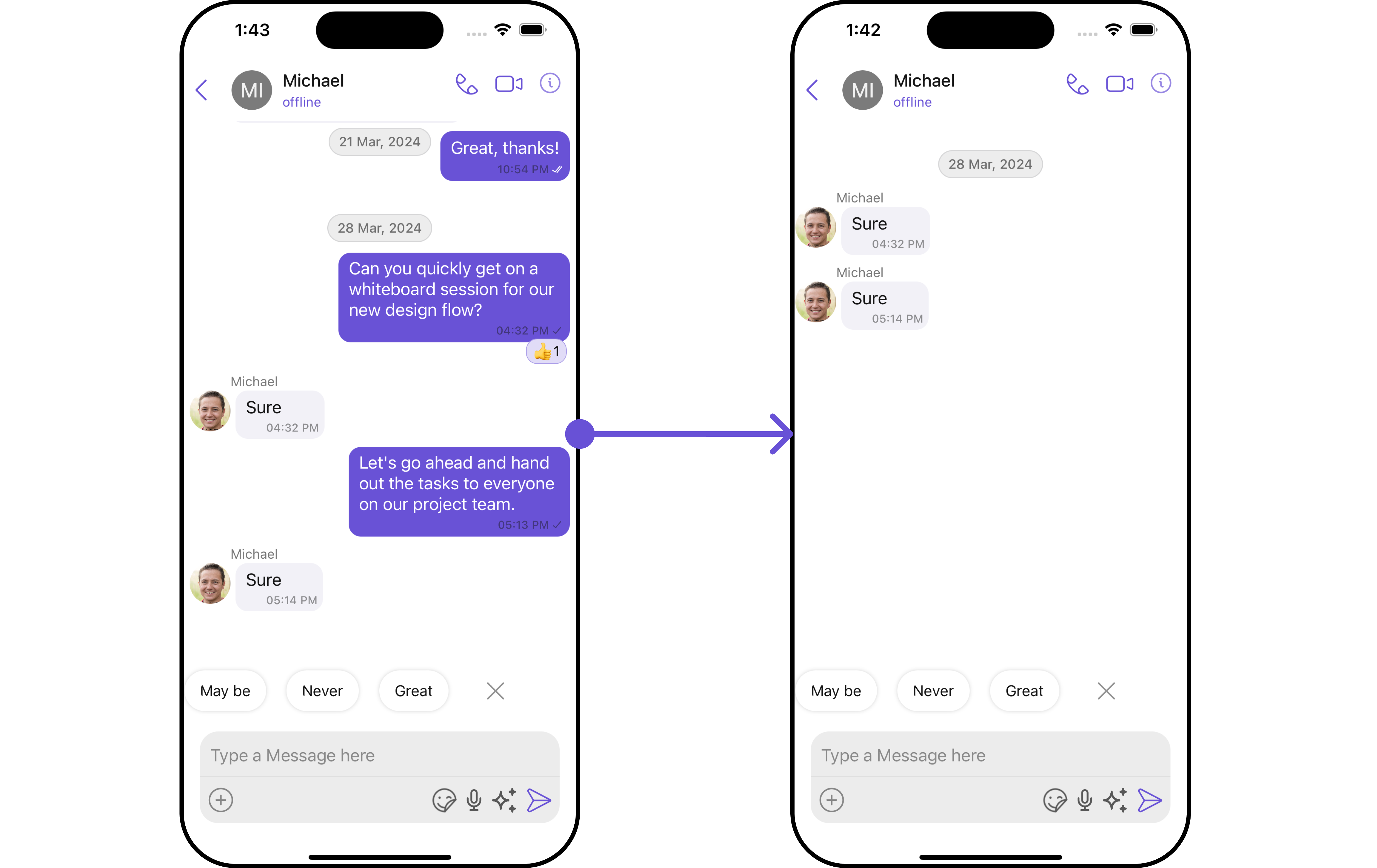
- Swift
The following parameters in messageRequestBuilder will always be altered inside the message list
- UID
- GUID
- types
- categories
Events
Events are emitted by aComponent. By using event you can extend existing functionality. Being global events, they can be applied in Multiple Locations and are capable of being Added or Removed.
The MessageList Component does not emit any events of its own.
Customization
To fit your app’s design requirements, you can customize the appearance of the conversation component. We provide exposed methods that allow you to modify the experience and behavior according to your specific needs.Style
Using Style you can customize the look and feel of the component in your app, These parameters typically control elements such as the color, size, shape, and fonts used within the component.1. MessageList Style
You can set the MessageListStyle to the MessageList Component to customize the styling.- Swift
2. Avatar Style 🛑
To apply customized styles to theAvatar component in the Conversations Component, you can use the following code snippet. For further insights on Avatar Styles refer
- Swift
Functionality
These are a set of small functional customizations that allow you to fine-tune the overall experience of the component. With these, you can change text, set custom icons, and toggle the visibility of UI elements.- Swift
Advance
For advanced-level customization, you can set custom views to the component. This lets you tailor each aspect of the component to fit your exact needs and application aesthetics. You can create and define your views, layouts, and UI elements and then incorporate those into the component.Set Template
CometChatMessageTemplate is a pre-defined structure for creating message views that can be used as a starting point or blueprint for creating message views often known as message bubbles. For more information, you can refer to CometChatMessageTemplate. You can set message Templates to MessageList by using the following code snippet- Swift
Set HeaderView
You can set custom headerView to the Message List component using the following method.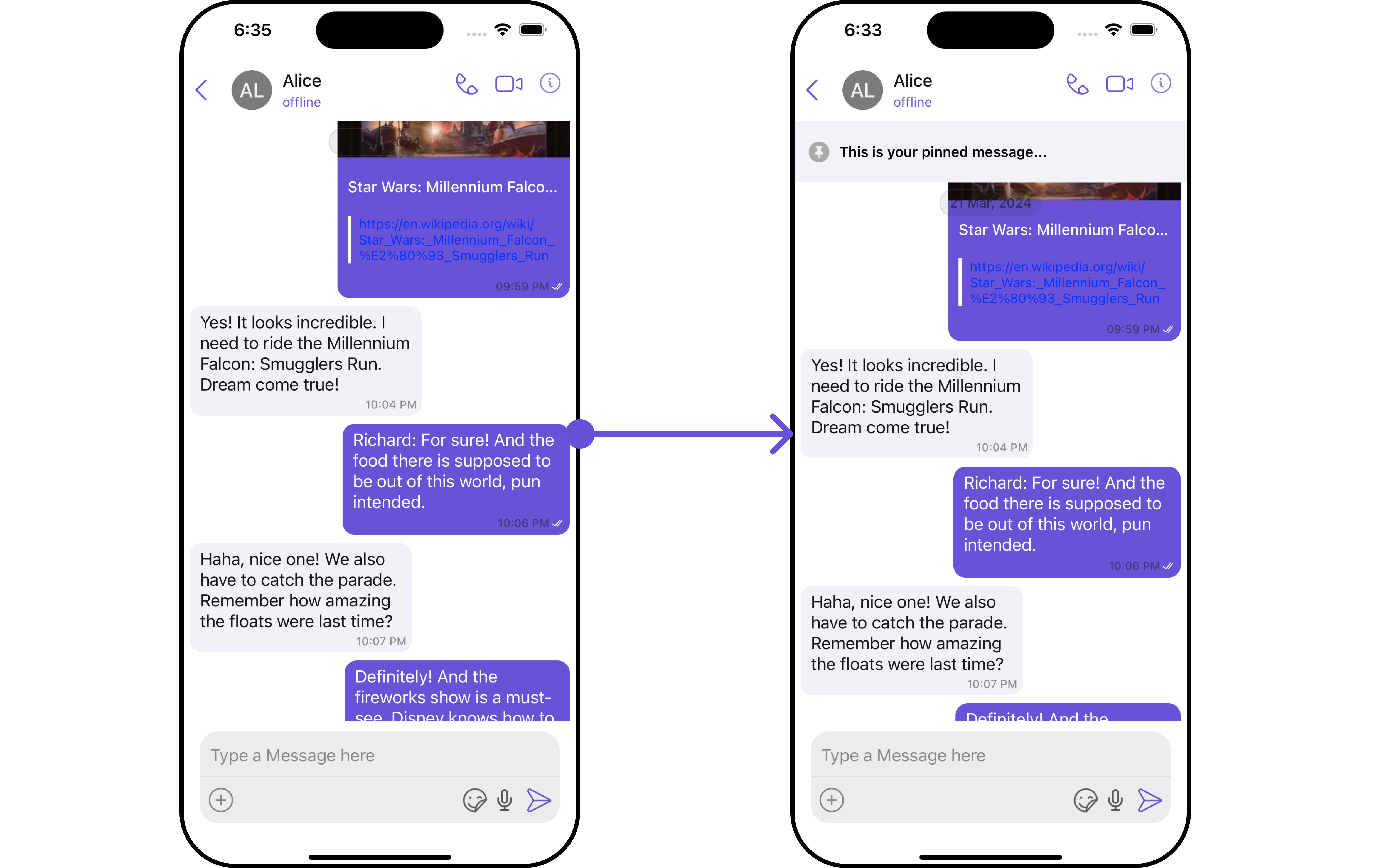
- Swift
Set FooterView
You can set custom footerView to the Message List component using the following method.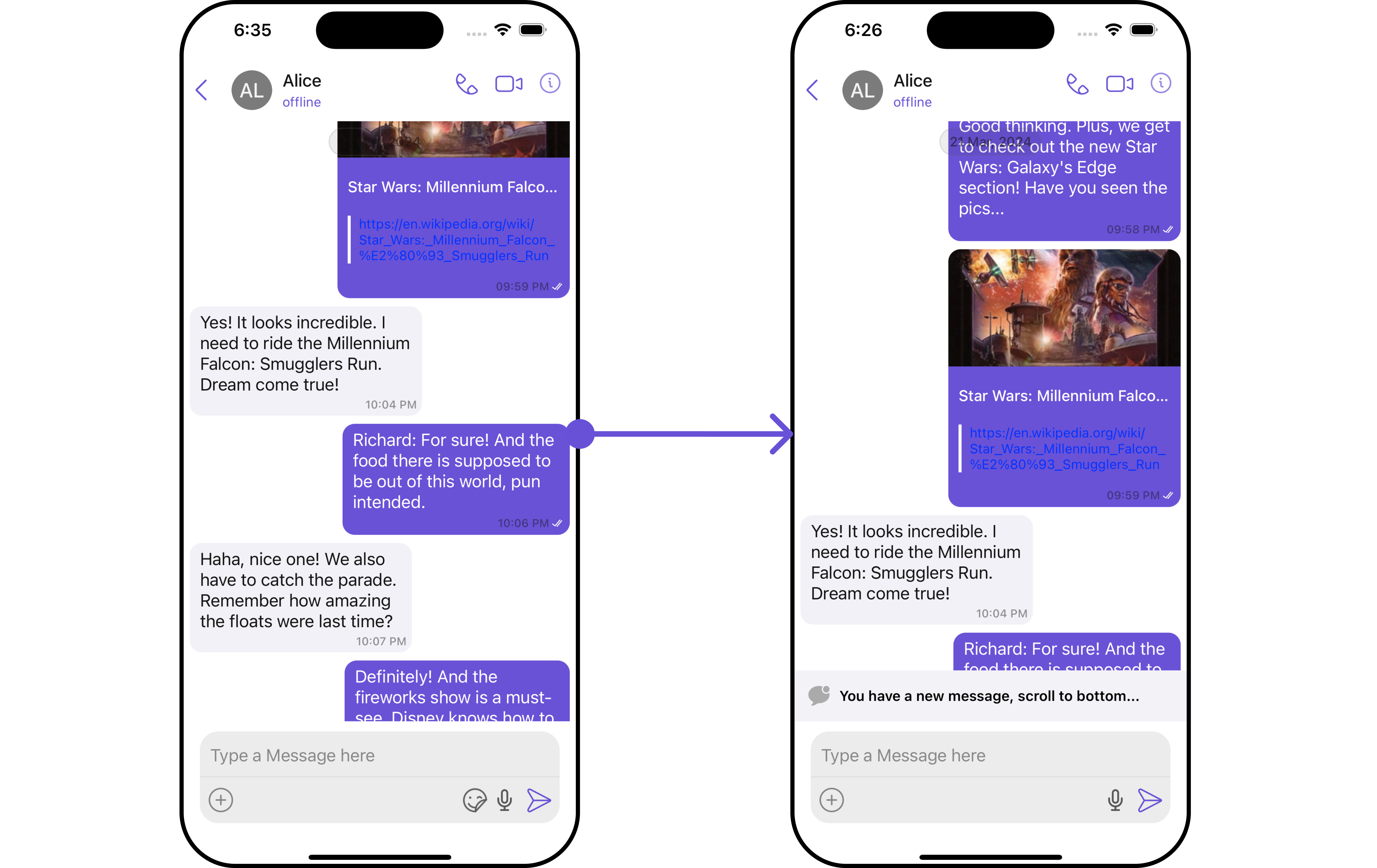
- Swift
Set DateSeparatorPattern
You can modify the date pattern of the message list date separator to your requirement usingsetDateSeparatorPattern(). This method accepts a function with a return type String. Inside the function, you can create your own pattern and return it as a String.
- Swift
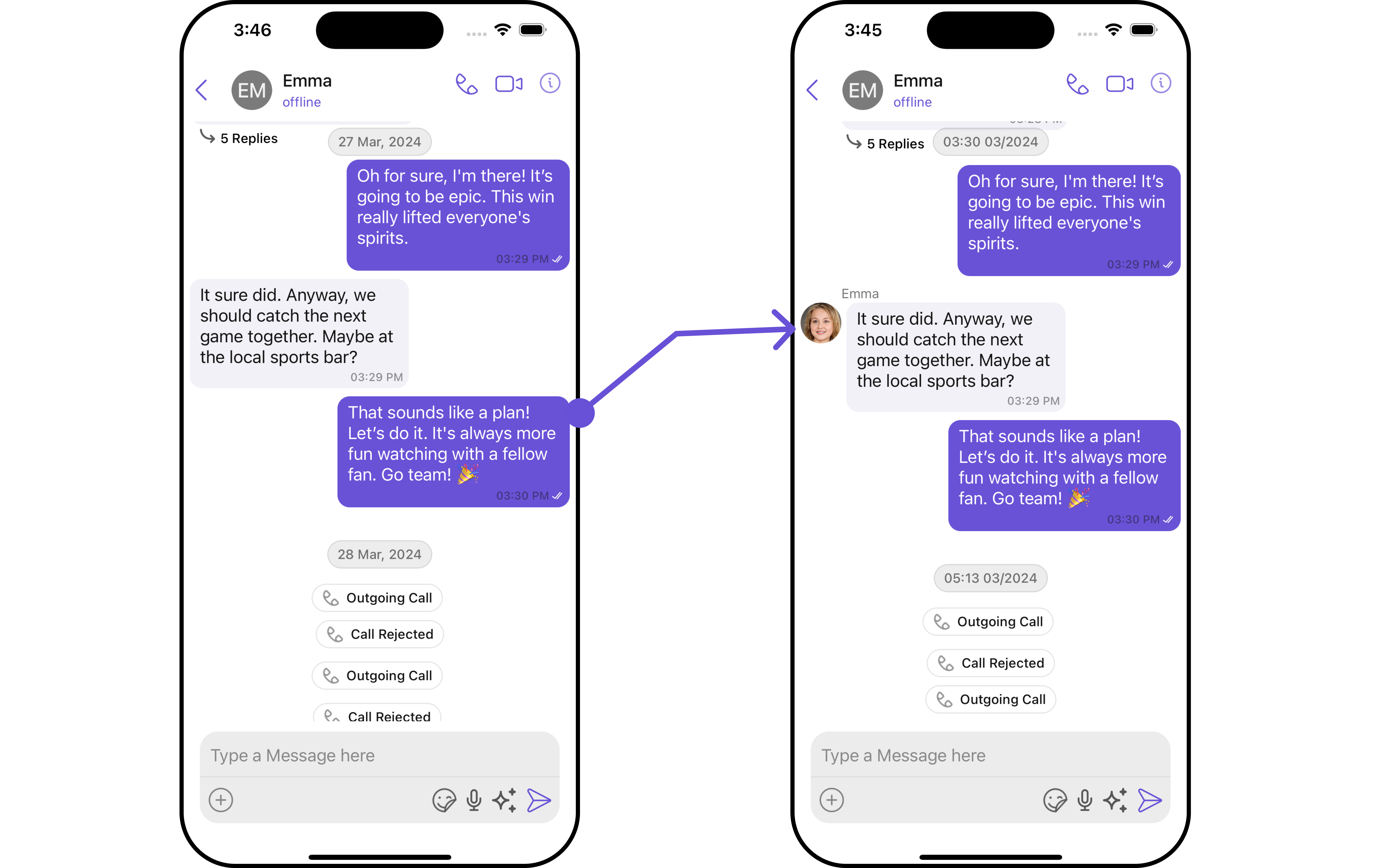
- Swift
Ensure to pass and present
cometChatMessages. If a navigation controller is already in use, utilize the pushViewController function instead of directly presenting the view controller.SetDatePattern
You can modify the date pattern to your requirement using .setDatePattern. This method accepts a function with a return type String. Inside the function, you can create your own pattern and return it as a String.- Swift
- Swift
Ensure to pass and present
cometChatMessages. If a navigation controller is already in use, utilize the pushViewController function instead of directly presenting the view controller.SetErrorStateView
You can set a customErrorStateView using setEmptyStateView to match the error view of your app.
- Swift
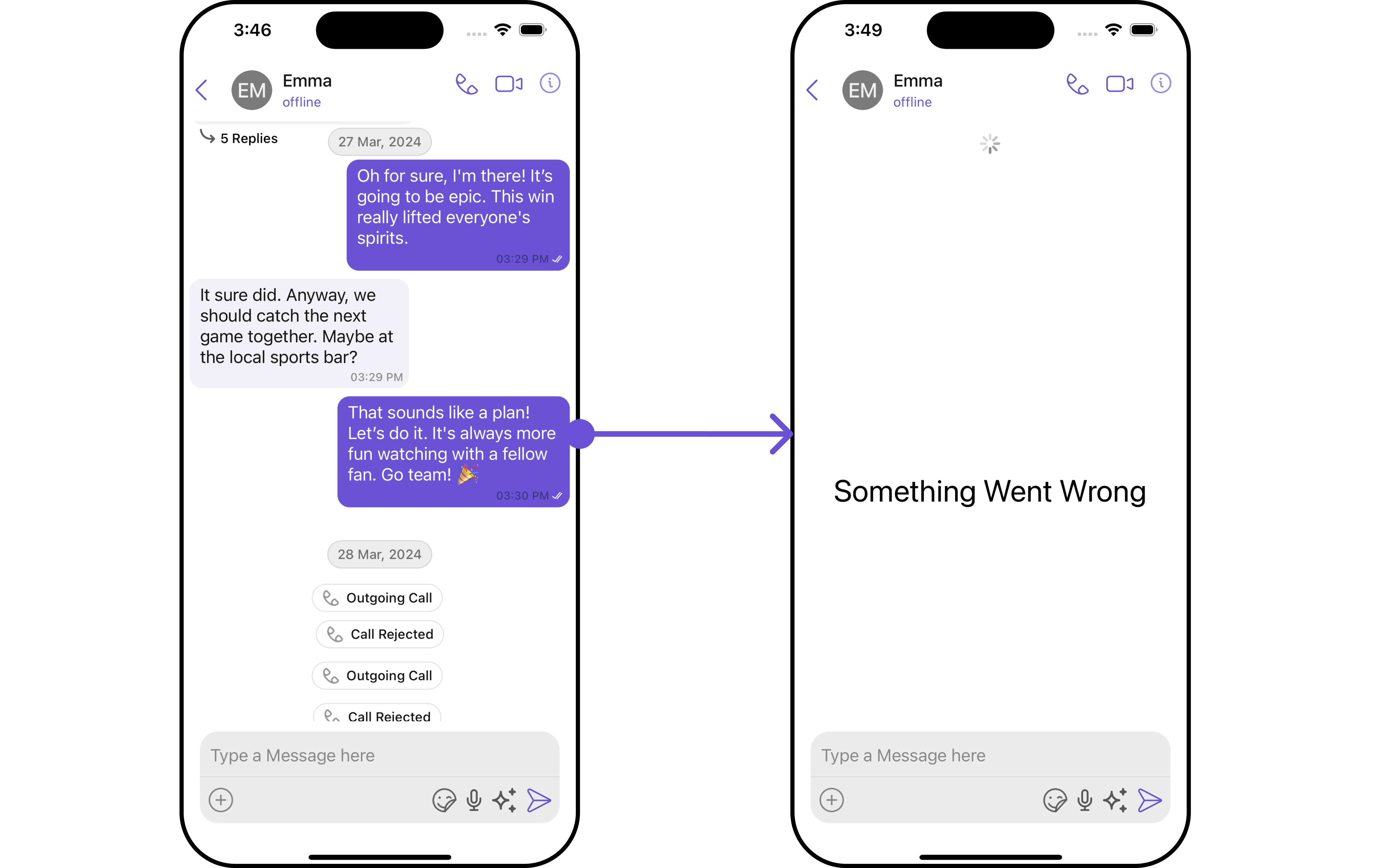
error_view a UIView file. You can choose any view you prefer. This view should be passed to the .set(errorStateView: errorView) method.
errorView
- Swift
Ensure to pass and present
cometChatMessages. If a navigation controller is already in use, utilize the pushViewController function instead of directly presenting the view controller.SetEmptyStateView
ThesetEmptyStateView() function provides the ability to set a custom empty state view in your app. An empty state view is displayed when there are no messages for a particular user.
- Swift
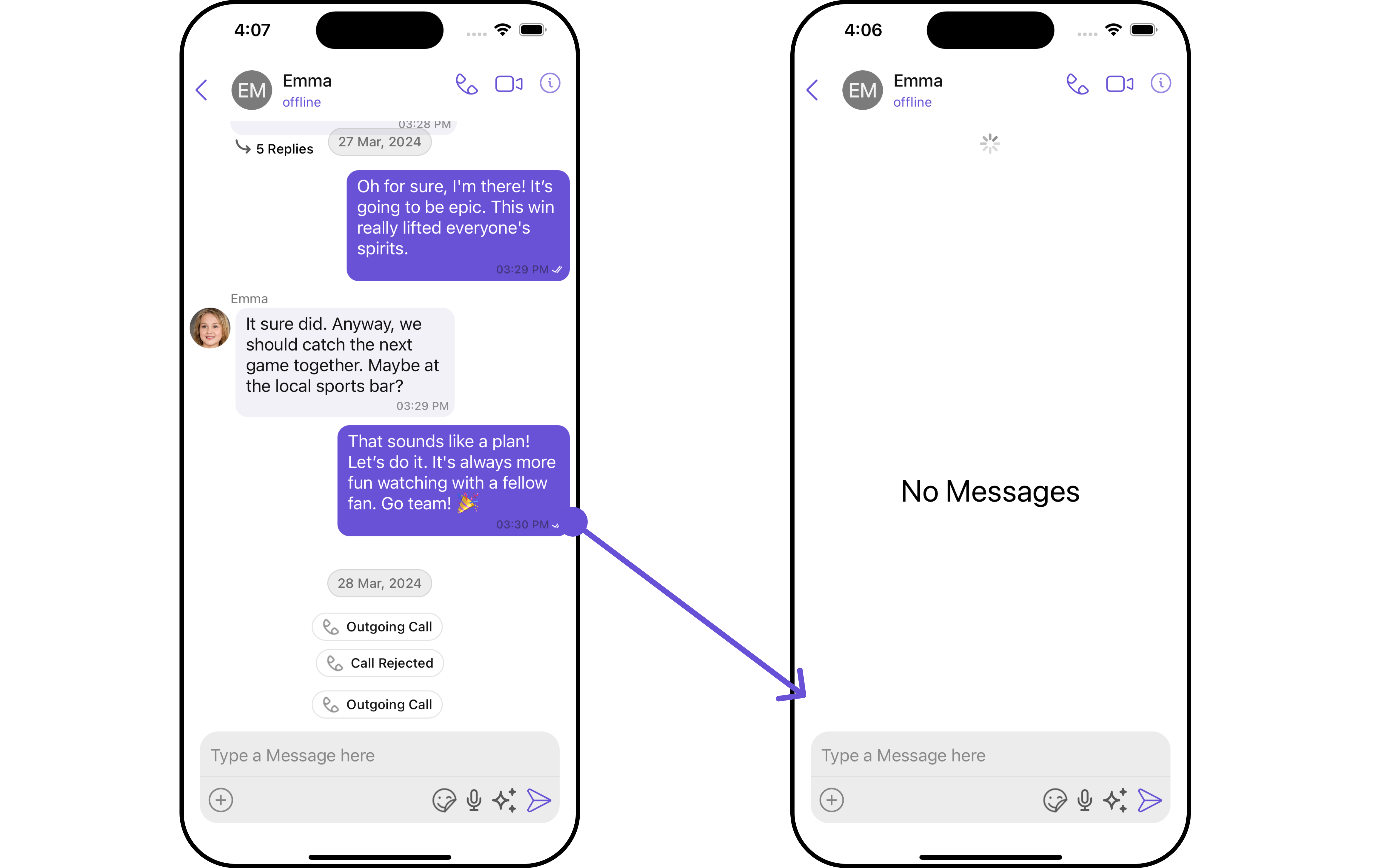
Empty_View, you can set it as the empty state view by passing it as a parameter to the setEmptyStateView() function.
Empty_View
- Swift
Ensure to pass and present
cometChatMessages. If a navigation controller is already in use, utilize the pushViewController function instead of directly presenting the view controller.SetTextFormatters
This functionality dynamically assigns a list of text formatters. If a custom list is provided, it uses that list. Otherwise, it gracefully falls back to the default text formatters retrieved from the data source for seamless integration. Example This code customizes a CometChat text formatter to identify and style the word “sure”, with handling options for interactions like string search, scrolling, and item clicks. The custom formatter is then applied to CometChat messages.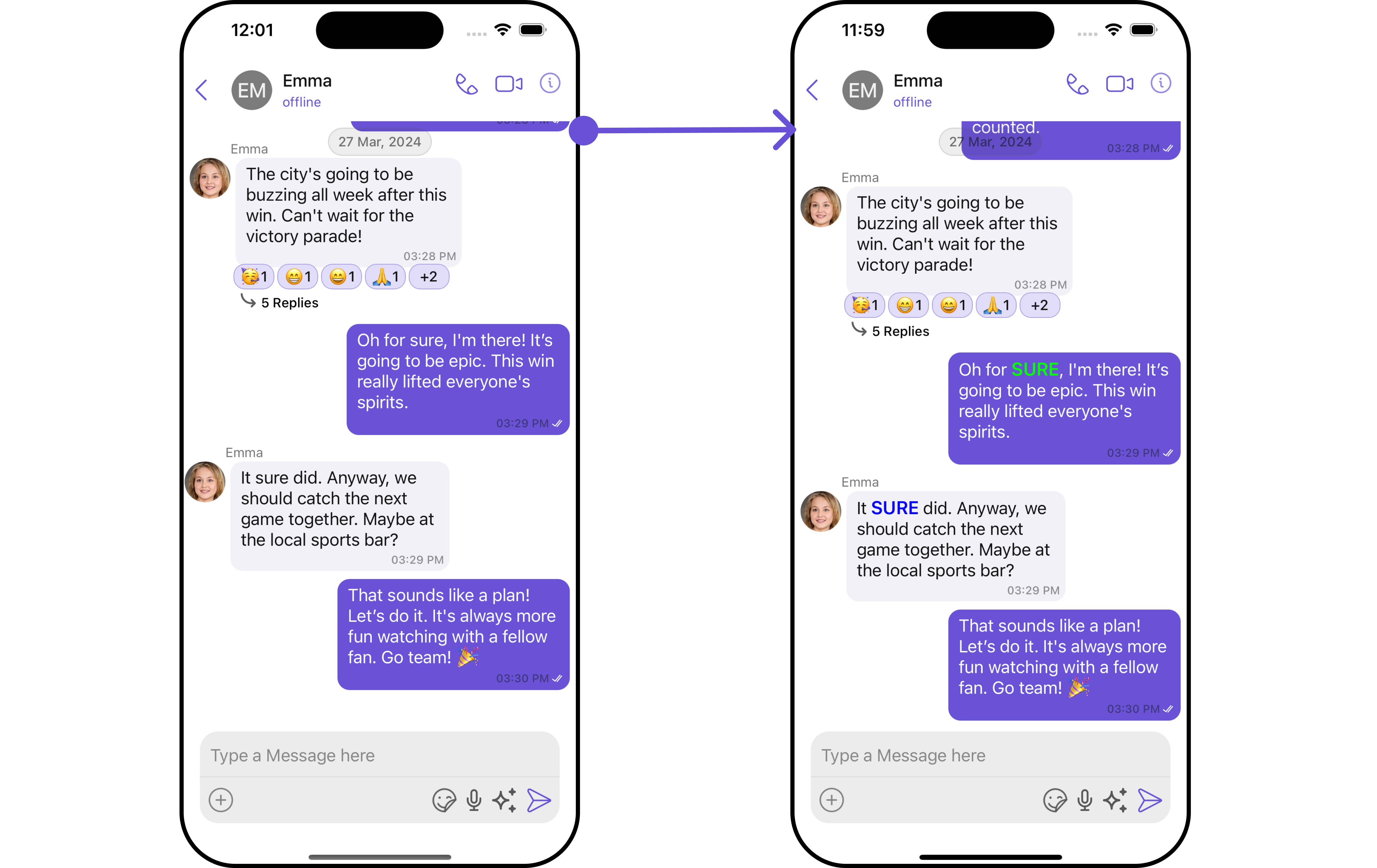
- MyCustomTextFormatter
Swift
Ensure to pass and present
cometChatMessages. If a navigation controller is already in use, utilize the pushViewController function instead of directly presenting the view controller.SetMentionsFormatters
Assigns the list of text formatters. If the provided list is not null, it sets the list. Otherwise, it assigns the default text formatters retrieved from the data source. To configure the existing Mentions look and feel check out CometChatMentionsFormatter Example In this example, we are customizing the CometChat’s ‘mentions’ feature. We define different styles for mentions appearing in the message bubbles and the message composer. We also set a custom action when a mention is clicked, which shows an alert with options to view the mentioned user’s profile or dismiss the alert. These customizations are then applied to the CometChat messages through theMessageListConfiguration.
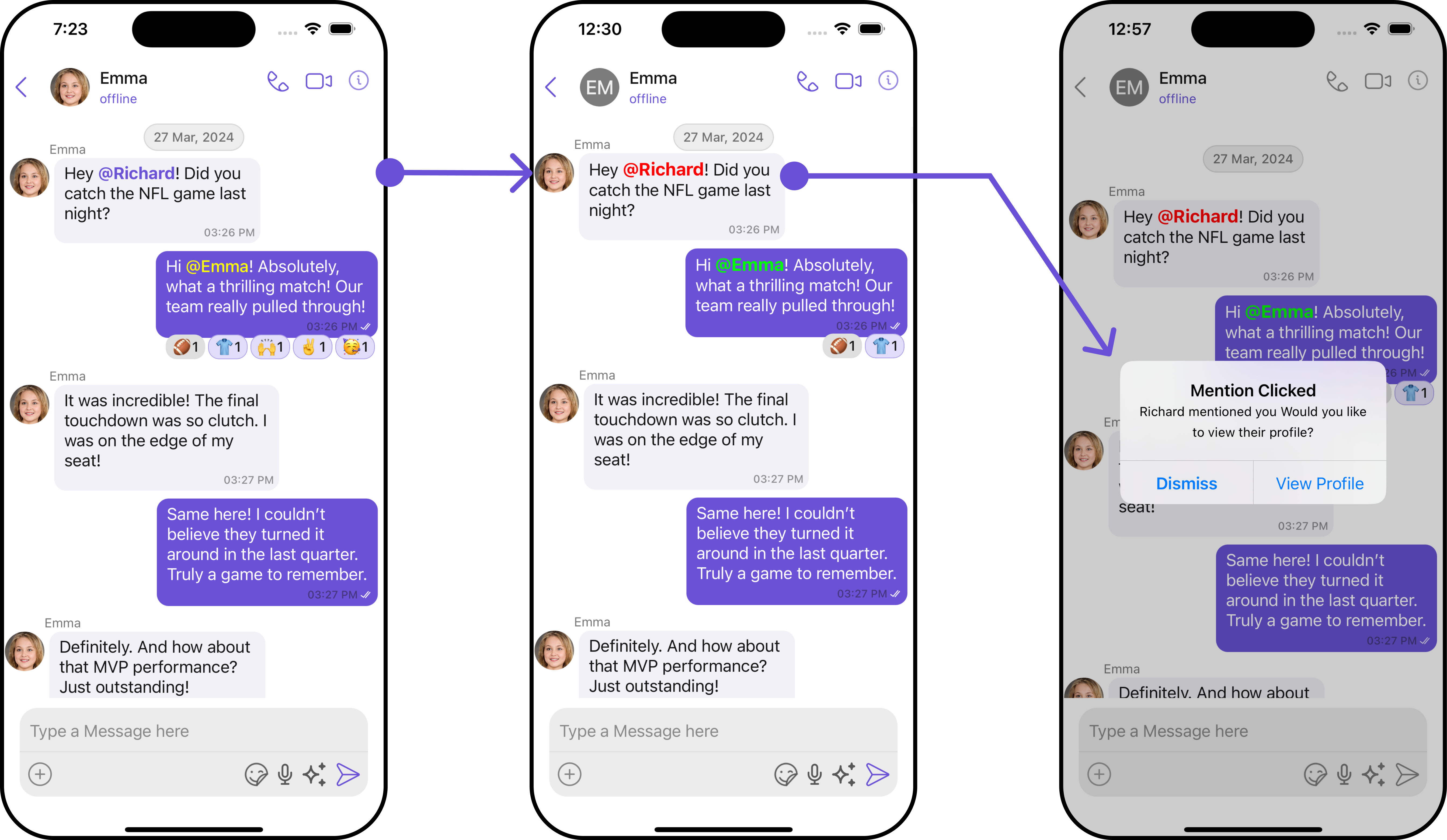
- Swift
Ensure to pass and present
cometChatMessages. If a navigation controller is already in use, utilize the pushViewController function instead of directly presenting the view controller.Configuration
Configurations offer the ability to customize the properties of each component within a Composite Component.MessageInformation
From the MessageList, you can navigate to the MesssageInformation component as shown in the image.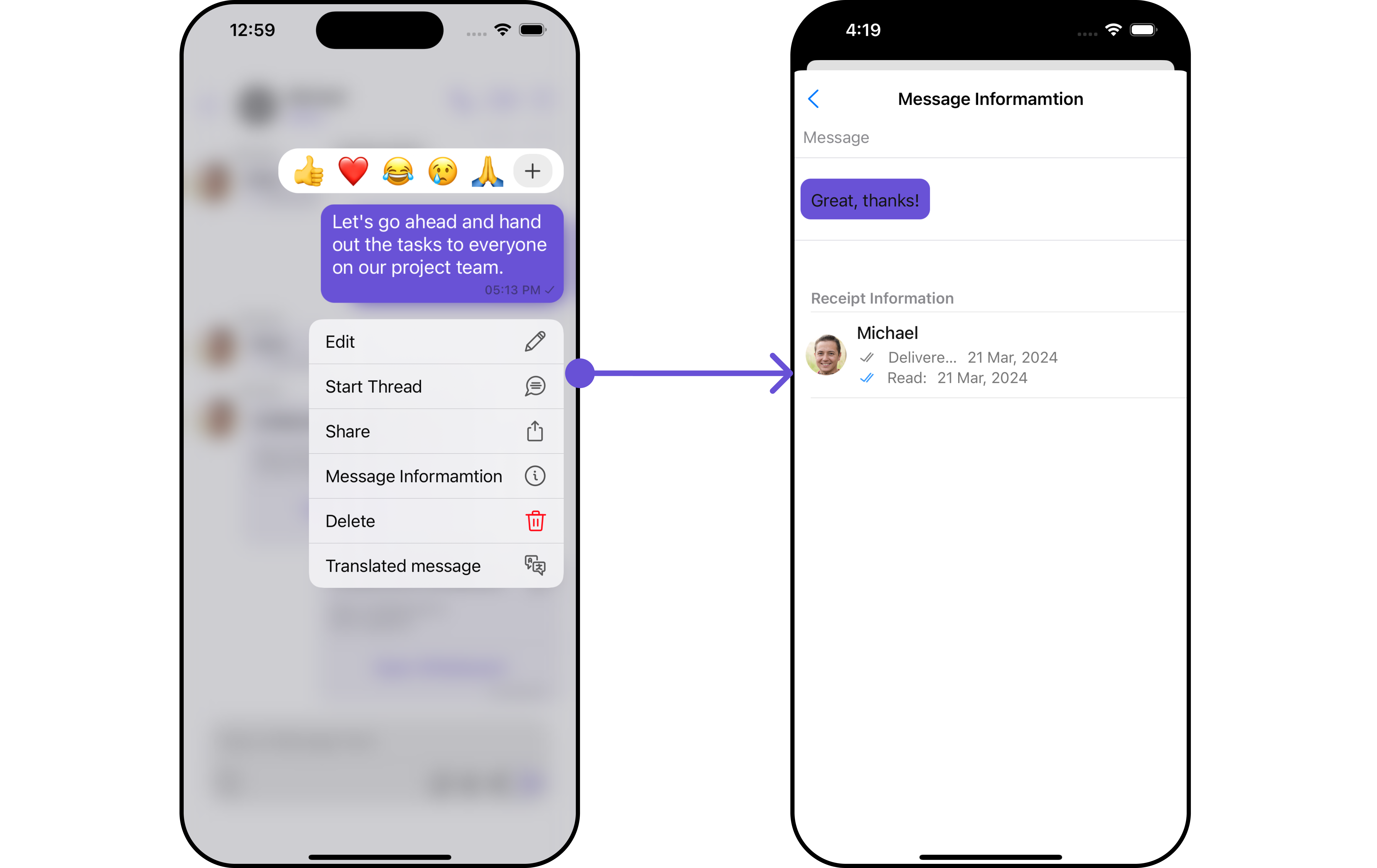
MessageInformationConfiguration object.
- Swift
MessageInformationConfiguration indeed provides access to all the Action, Filters, Styles, Functionality, and Advanced properties of the MesssageInformation component.
Please note that the Properties marked with the symbol are not accessible within the Configuration Object.
Example
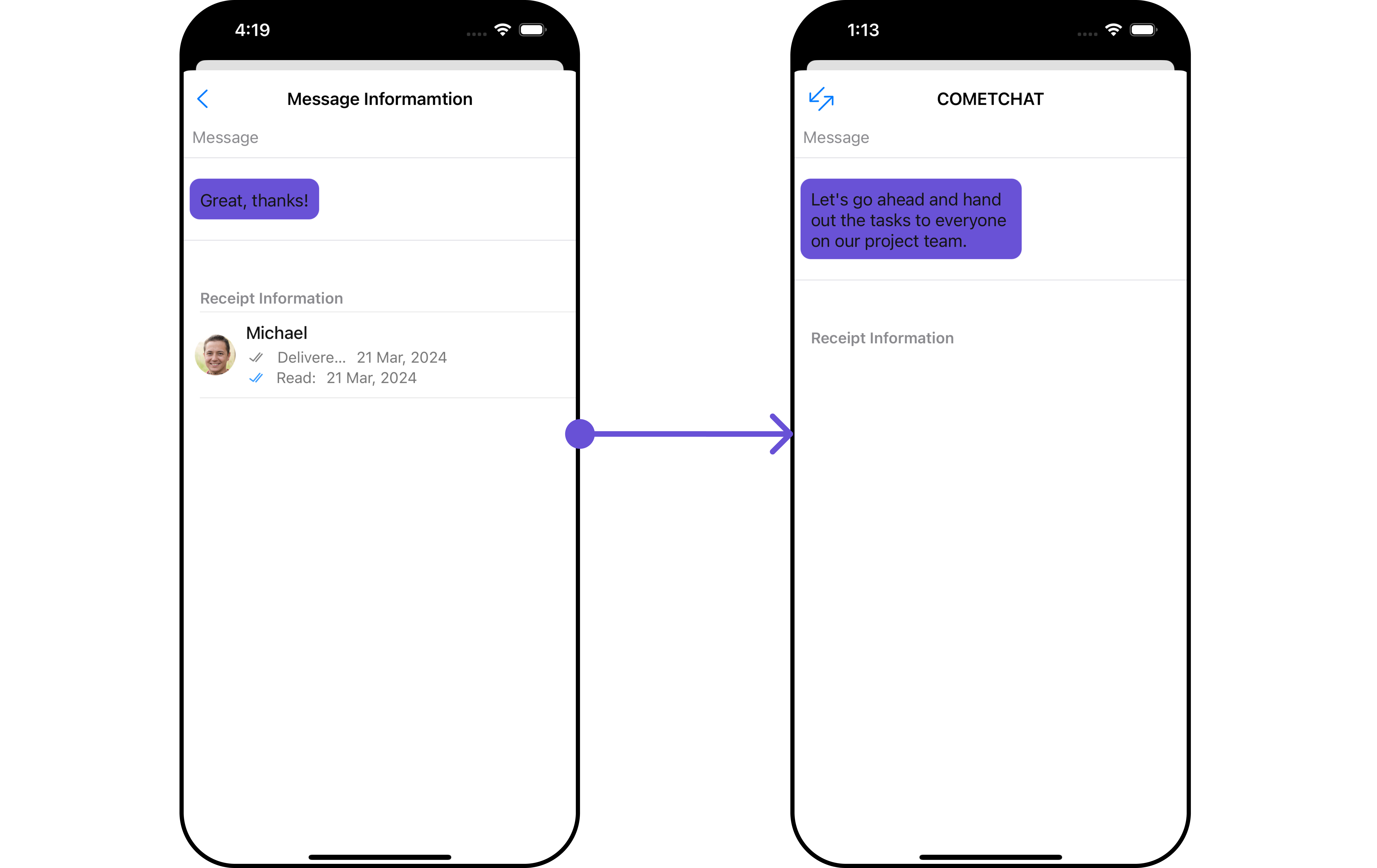
MessageInformationConfiguration.
Ensure to pass and present
cometChatMessages. If a navigation controller is already in use, utilize the pushViewController function instead of directly presenting the view controller.Reactions
If you wish to modify the properties of the Reaction Component, you can use theReactionsConfiguration object.
- Swift
ReactionsConfiguration.
Ensure to pass and present
cometChatMessages. If a navigation controller is already in use, utilize the pushViewController function instead of directly presenting the view controller.