

CometChatMessageList component displays a scrollable list of messages in a conversation. It supports text messages, media messages, reactions, threads, and real-time updates for new messages, edits, and deletions.
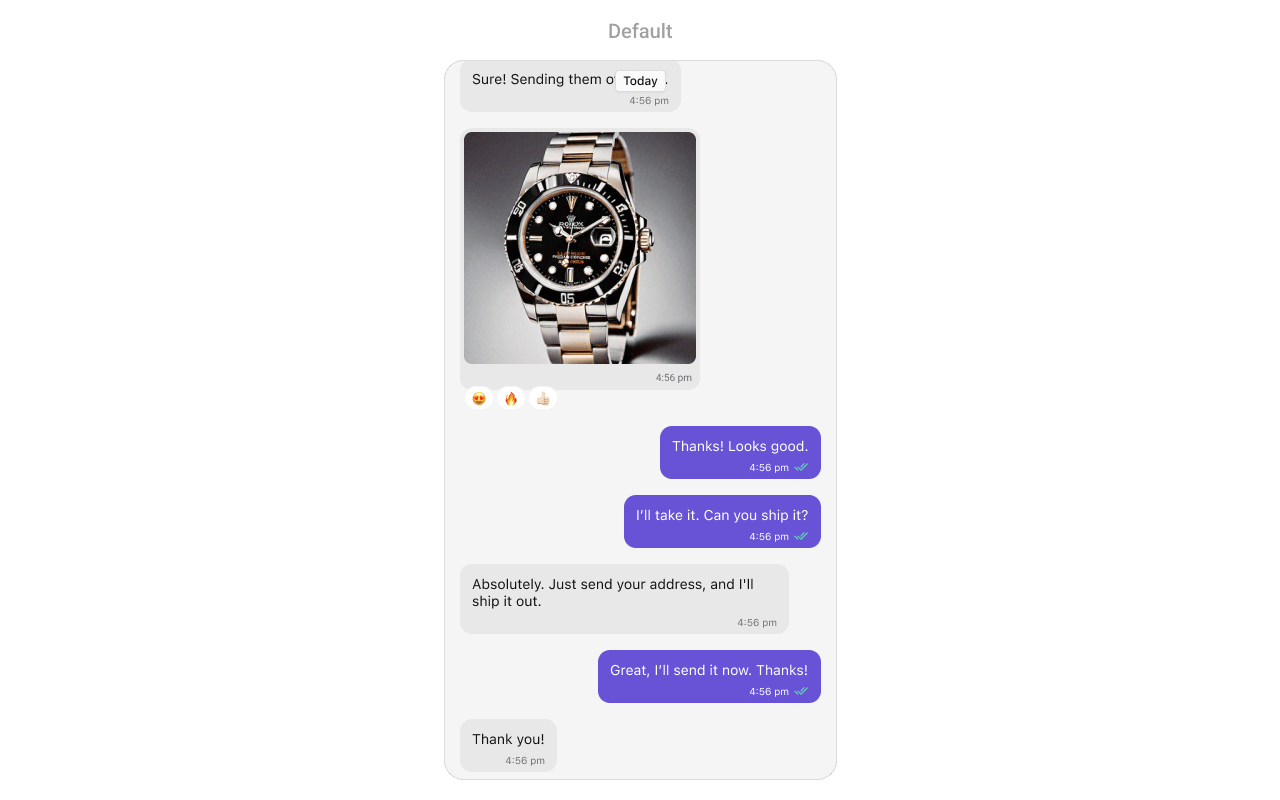
AI Integration Quick Reference
AI Integration Quick Reference
Where It Fits
CometChatMessageList is the core component for displaying messages in a chat. It’s typically used within CometChatMessages alongside CometChatMessageHeader and CometChatMessageComposer.
Minimal Render
Filtering
UseMessagesRequest.MessageRequestBuilder to filter which messages appear in the list. The builder pattern allows chaining multiple filter conditions.
Filter Recipes
Actions and Events
Callback Props
onThreadRepliesClick
Fires when a user taps on the thread indicator of a message bubble.onReactionClick
Fires when a user taps on a reaction on a message bubble.onReactionListItemClick
Fires when a user taps on a specific reaction in the reaction list.onError
Fires when an error occurs while loading messages.onEmpty
Fires when the message list is empty.onLoad
Fires when messages are successfully loaded.Actions Reference
SDK Events (Real-Time, Automatic)
Data Manipulation Methods
Programmatically manage messages in the list using these methods.add(message:)
Adds a new message to the message list.update(message:)
Updates an existing message in the list.remove(message:)
Removes a message from the list without deleting it from the server.delete(message:)
Deletes a message from both the list and the server.clearList()
Removes all messages from the list.isEmpty()
Checks if the message list is empty.Connection Management
Manually control the WebSocket connection for the message list.connect()
Establishes the WebSocket connection for real-time updates. Use this when you need to manually reconnect after disconnecting.disconnect()
Disconnects the WebSocket connection. Use this when you want to temporarily stop receiving real-time updates, such as when the view is not visible.Custom View Slots
set(headerView:)
Replaces the default header with a custom view.set(footerView:)
Replaces the default footer with a custom view.set(emptyView:)
Replaces the default empty state view with a custom view.set(errorView:)
Replaces the default error state view with a custom view.set(loadingView:)
Replaces the default loading indicator with a custom view.set(newMessageIndicatorView:)
Replaces the default new message indicator with a custom view.Text Formatters
Customize how text is displayed in messages using text formatters.set(textFormatters:)
Sets custom text formatters for message text display.setMentionAllLabel(::)
Customizes the label displayed for @all mentions.AI Features
Configure AI-powered features for the message list.enableSmartReplies
Enables AI-powered smart reply suggestions.enableConversationStarters
Enables AI-powered conversation starter suggestions.enableConversationSummary
Enables AI-powered conversation summary feature.set(smartRepliesKeywords:)
Sets keywords that trigger smart reply suggestions.set(smartRepliesDelayDuration:)
Sets the delay duration before showing smart reply suggestions.Reactions Configuration
Configure how reactions are displayed and behave in the message list.reactionsConfiguration
Configuration object for the reactions feature.reactionListConfiguration
Configuration object for the reaction list display.quickReactionsConfiguration
Configuration object for quick reactions.messageInformationConfiguration
Configuration object for message information display.Styling
Style Hierarchy
- Global styles (
CometChatMessageList.style) apply to all instances - Instance styles override global for specific instances
Global Level Styling
Instance Level Styling
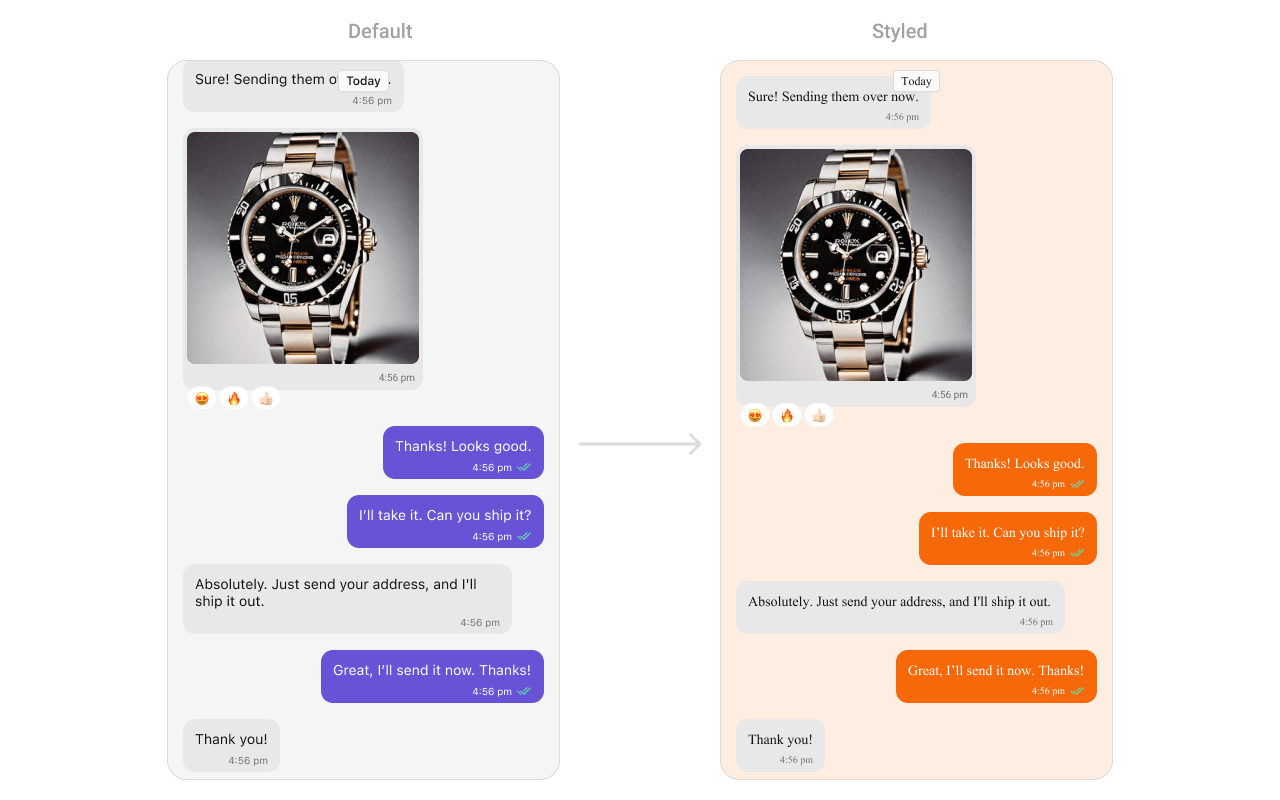
Key Style Properties
Style Properties
emojiKeyboardStyle
Customizes the appearance of the emoji keyboard.dateSeparatorStyle
Customizes the appearance of date separators between messages.newMessageIndicatorStyle
Customizes the appearance of the new message indicator.messageBubbleStyle
Customizes the appearance of message bubbles.actionBubbleStyle
Customizes the appearance of action message bubbles (e.g., group actions).callActionBubbleStyle
Customizes the appearance of call action message bubbles.Customization Matrix
Props
All props are optional. Sorted alphabetically.actionBubbleStyle
Customizes the appearance of action message bubbles.callActionBubbleStyle
Customizes the appearance of call action message bubbles.dateSeparatorStyle
Customizes the appearance of date separators.disableSoundForMessages
Disables notification sounds for new messages.disableSwipeToReply
Disables the swipe-to-reply gesture on messages.emojiKeyboardStyle
Customizes the appearance of the emoji keyboard.emptySubtitleText
Custom subtitle text for the empty state view.emptyTitleText
Custom title text for the empty state view.enableConversationStarters
Enables AI-powered conversation starter suggestions.enableConversationSummary
Enables AI-powered conversation summary feature.enableSmartReplies
Enables AI-powered smart reply suggestions.errorSubtitleText
Custom subtitle text for the error state view.errorTitleText
Custom title text for the error state view.hideAvatar
Hides the sender’s avatar in message bubbles.hideBubbleHeader
Hides the header section of message bubbles (sender name, timestamp).hideCopyMessageOption
Hides the copy message option in message actions.hideDateSeparator
Hides the date separator between messages.hideDeleteMessageOption
Hides the delete message option in message actions.hideEditMessageOption
Hides the edit message option in message actions.hideEmptyView
Hides the empty state view when no messages are available.hideErrorView
Hides the error view when an error occurs.hideFlagMessageOption
Hides the flag/report message option in message actions.hideFooterView
Hides the footer view of the message list.hideGroupActionMessages
Hides group action messages (join/leave notifications).hideHeaderView
Hides the header view of the message list.hideLoadingView
Hides the loading view when fetching messages.hideMessageInfoOption
Hides the message info option in message actions.hideMessagePrivatelyOption
Hides the option to message privately.hideNewMessageIndicator
Hides the new message indicator.hideReactionOption
Hides the reaction option on messages.hideReceipts
Hides message read receipts (ticks).hideReplyInThreadOption
Hides the reply in thread option.hideReplyMessageOption
Hides the reply to message option in message actions.hideShareMessageOption
Hides the share message option in message actions.hideTranslateMessageOption
Hides the message translation option.messageAlignment
Sets the alignment of messages in the list.messageBubbleStyle
Customizes the appearance of message bubbles.messageInformationConfiguration
Configuration object for message information display.messagesRequestBuilder
Custom request builder for filtering messages.newMessageIndicatorStyle
Customizes the appearance of the new message indicator.quickReactionsConfiguration
Configuration object for quick reactions.reactionsConfiguration
Configuration object for the reactions feature.reactionListConfiguration
Configuration object for the reaction list display.reactionsRequestBuilder
Custom request builder for fetching reactions.scrollToBottomOnNewMessages
Automatically scrolls to bottom when new messages arrive.showMarkAsUnreadOption
Shows the “Mark as unread” option in message actions.startFromUnreadMessages
Starts the message list from the first unread message.textFormatters
Array of text formatters for customizing message text display.Events
The MessageList component provides callback events for handling state changes.set(onLoad:)
Fires when messages are successfully loaded.set(onEmpty:)
Fires when the message list is empty.Date Time Formatter
Customize how timestamps appear in the message list using theCometChatDateTimeFormatter.
Global Level Formatting
Instance Level Formatting
set(datePattern:)
Sets a custom date pattern for message timestamps.set(timePattern:)
Sets a custom time pattern for message timestamps.set(dateSeparatorPattern:)
Sets a custom pattern for date separators between messages.Available Formatters
Common Patterns
Hide message options
Disable sounds
Custom empty state
Scroll to bottom on new messages
Hide UI elements
Related Components
- Messages - Parent component containing MessageList
- Message Composer - Send messages in a conversation
- Message Header - Display user/group details
- Message Template - Create custom message bubble templates
- Threaded Messages - Display threaded conversations