

AI Integration Quick Reference
AI Integration Quick Reference
Prerequisites
Get your credentials from the CometChat Dashboard:
- App ID
- Region
- Auth Key (for development)
Installation
CocoaPods
Create aPodfile in your project directory:
Swift Package Manager
- Open Xcode, go to the project’s General settings tab and select the project under Project in the left column.
- Go to the Swift packages tab and click on the + button.
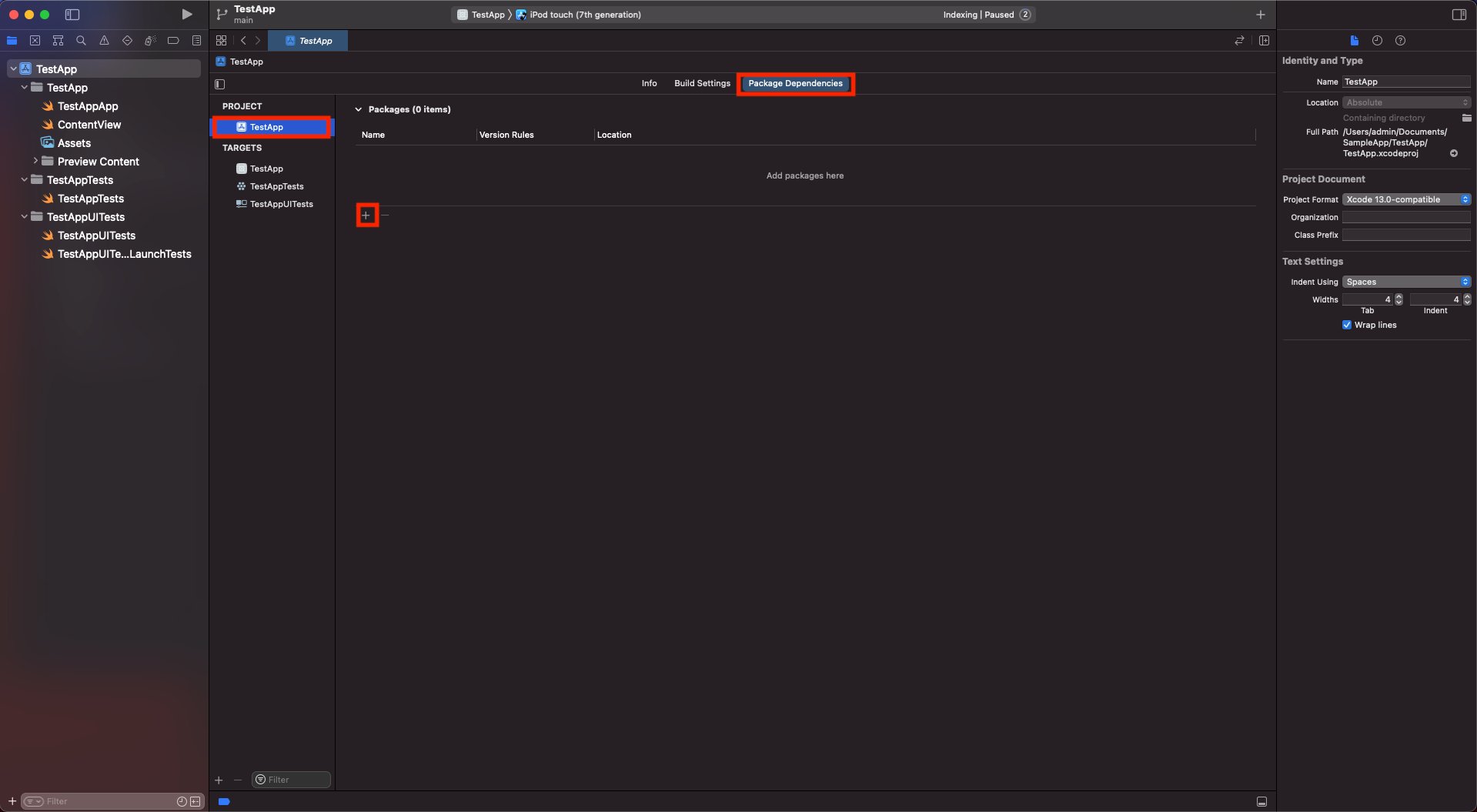
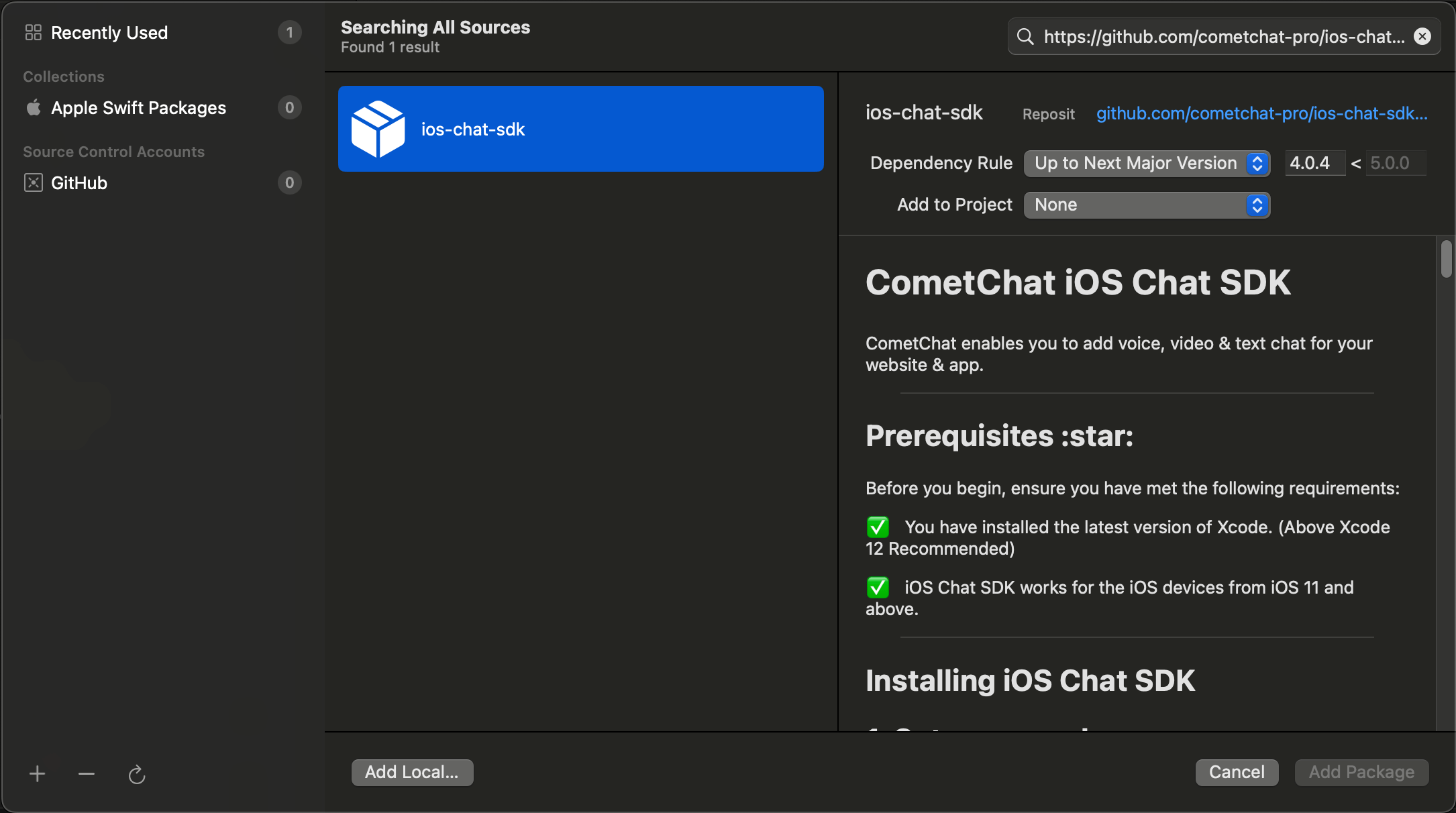
- Enter the repository URL
https://github.com/cometchat/chat-sdk-ios.git, set dependency rule toUp to Next Major Versionwith version4.1.0, and click Add Package.
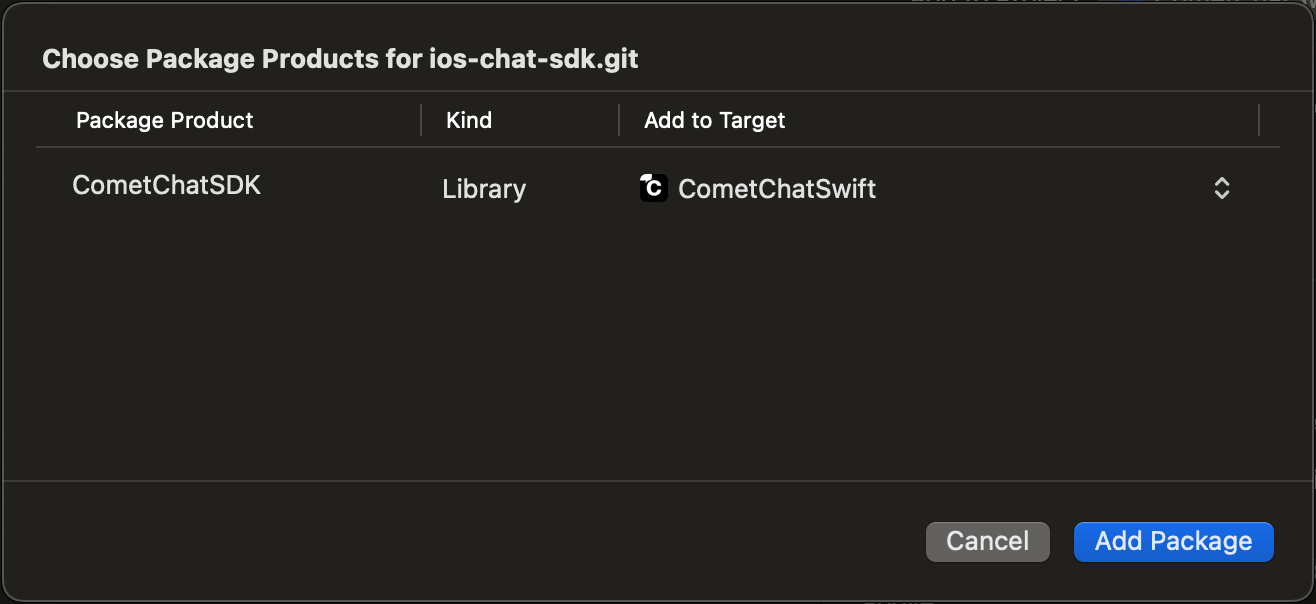
- Ensure
CometChatSDKis checked in the Package Product column and click Add Package.
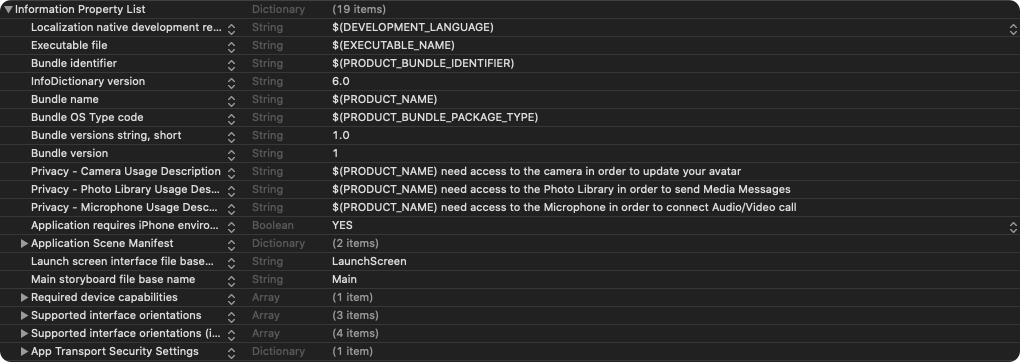
Request Authorization
Add justification strings to your app’sInfo.plist for camera, microphone, and photo library access:
Setup Bitcode
Set Enable Bitcode toYES in your target’s build settings.

Swift Standard Libraries
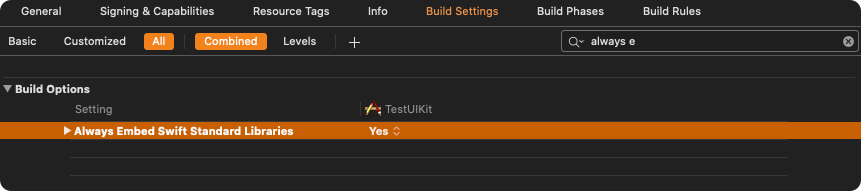
Set"Always Embed Swift Standard Libraries" to Yes in your target’s build settings:
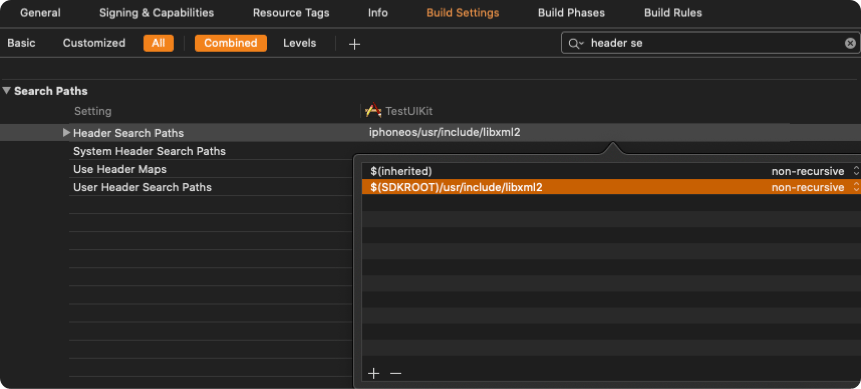
Set Header Search Path
SetHeader Search Paths to $SDKROOT/usr/include/libxml2.
Initialization
Theinit() method initializes the SDK and must be called before any other CometChat method. Call it once at app startup, typically in didFinishLaunchingWithOptions: of your AppDelegate.
- Swift
- Objective-C
APP_ID and APP_REGION with your credentials from the Dashboard.
Parameters
AppSettings Options
Presence Subscription
Choose how to subscribe to user presence (online/offline status):WebSocket Connection
By default, the SDK manages WebSocket connections automatically. To manage them manually:Next Steps
Authentication
Log in users with Auth Key or Auth Token
Send Messages
Send your first message