

- Configure chat and calling features
- Apply theming and layout options
- Export Flutter-ready code
What You Can Configure
Toggle these features on or off directly in the UI Kit Builder. For a full reference of each setting, see UI Kit Builder Settings.Chat Features
Call Features
Layout
Theming
How to Use UI Kit Builder
1. Design
Configure your chat layout, toggle features, and pick a theme using the UI Kit Builder.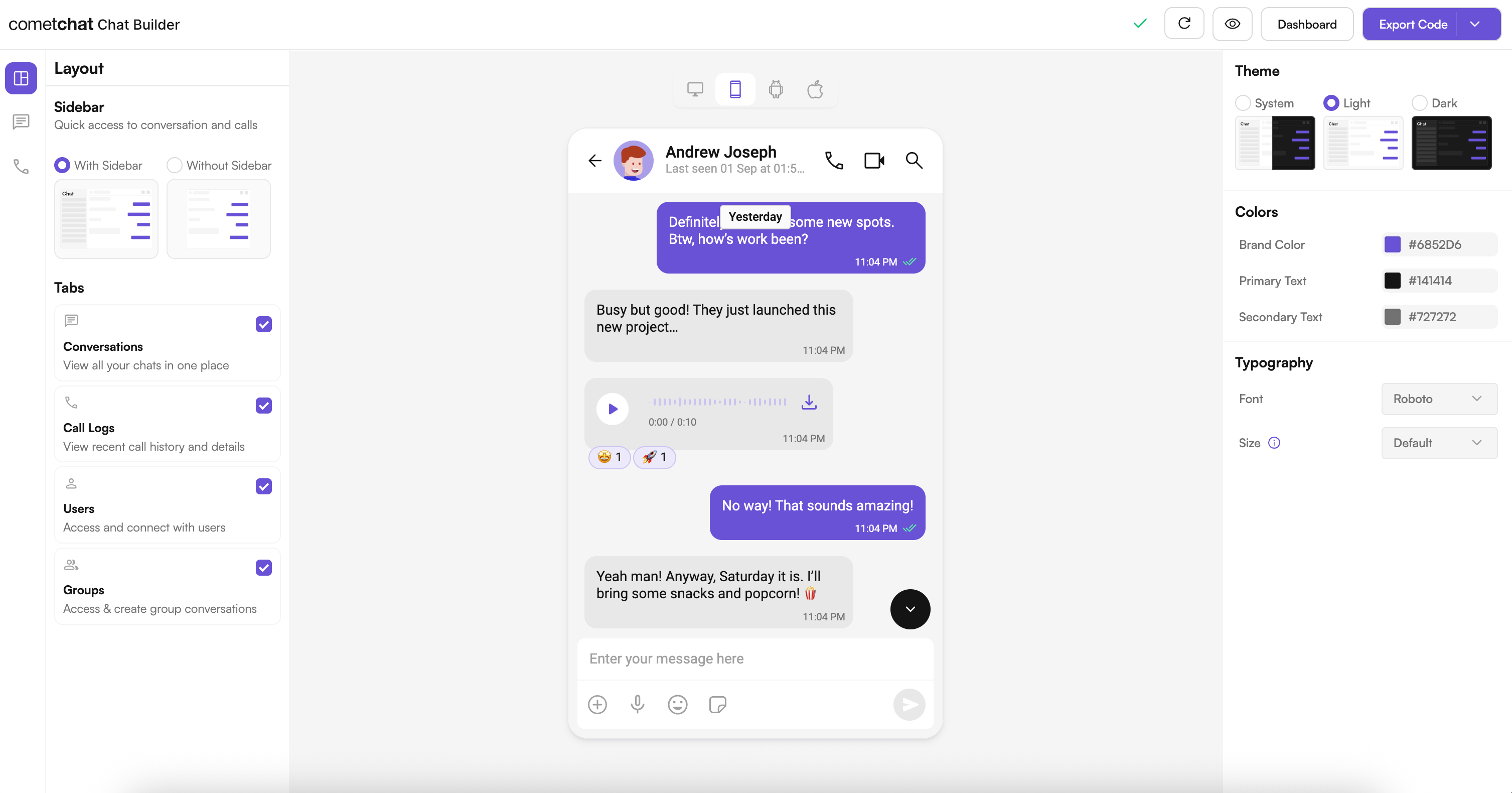
2. Export
Click Export Code to generate a production-ready Flutter module based on your configuration.3. Integrate
Drop the exported module into your Flutter project, add your CometChat credentials, and run the app. See the Integration Guide for full steps.Try Live Demo
Experience the CometChat UI Kit Builder in action:Launch Live Demo
Next Steps
Integration
Step-by-step guide to integrate the UI Kit Builder.
Builder Settings
Understand the settings file and feature toggles.
Customizations
Adjust component props, behavior, and UI elements.
Directory Structure
See how the exported code is organized.
Helpful Resources
Flutter Sample App
Try the fully featured Flutter sample for reference implementations.
UI Kit Source Code
Explore the complete Flutter UI Kit source code.
CometChat Dashboard
Configure features, manage users, and launch the UI Kit Builder.
Need Help?
- Developer Community: https://community.cometchat.com/
- Support Portal: https://help.cometchat.com/hc/en-us/requests/new